
Topics
What customers contact you about — conversations labelled by Are AI, with trends and examples.
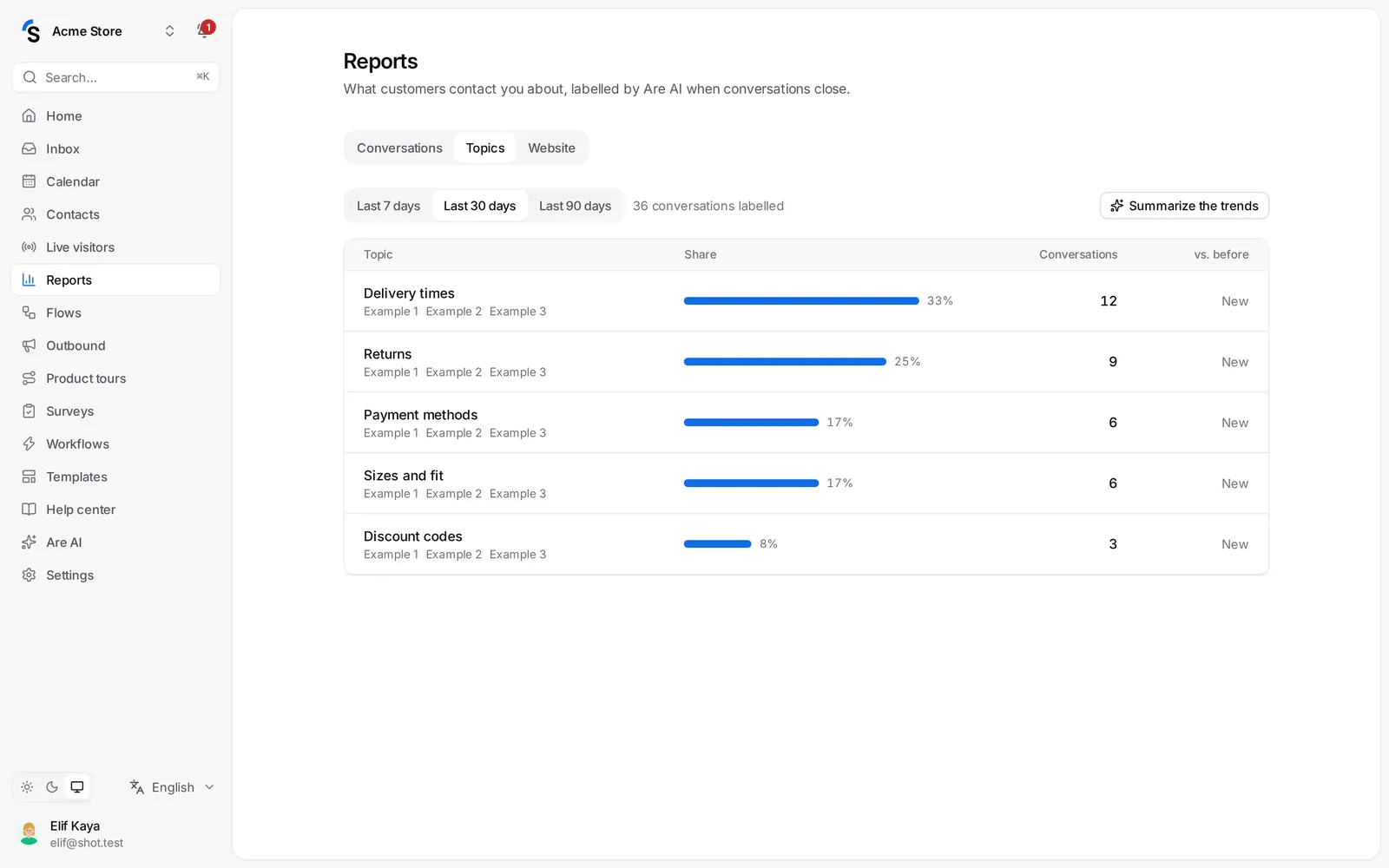
Reports → Topics shows what your customers write about: Delivery times, Returns, Sizes … Are AI labels closed conversations every hour, so you see what is growing before it becomes a problem.
Read the page
- Choose the period: the last 7, 30 or 90 days.
- Each topic shows how many Conversations it had, and the change vs. before (the previous period of the same length). New topics are marked New.
- Open a topic to read examples of what customers wrote.
- Click Summarize the trends for a short summary of what changed.
Use it
- A topic grows? Write a help center article or a short answer — Are AI and your customers find the answer themselves.
- Many questions about one product? Tell the product team.
- Long waiting times in one topic? Create a workflow that routes it to the right team.
Topics need Are AI to be switched on (Are AI → Settings) and are included in some packages.
Still stuck? Contact