
Copilot
AI help for your team in the inbox — draft, summarise, rewrite and translate replies. Nothing is sent without a person.
Copilot helps your teammates write better replies faster. Everything it produces lands in the reply box — nothing is sent without a person.
Switch it on
Go to Are AI → Settings and, under What the AI does, switch on Copilot for your team. It uses the same knowledge and AI budget as Are AI, but works even when Are AI doesn't answer customers.
Use it in a conversation
Open a conversation and click the sparkle button (AI Copilot) in the reply box:
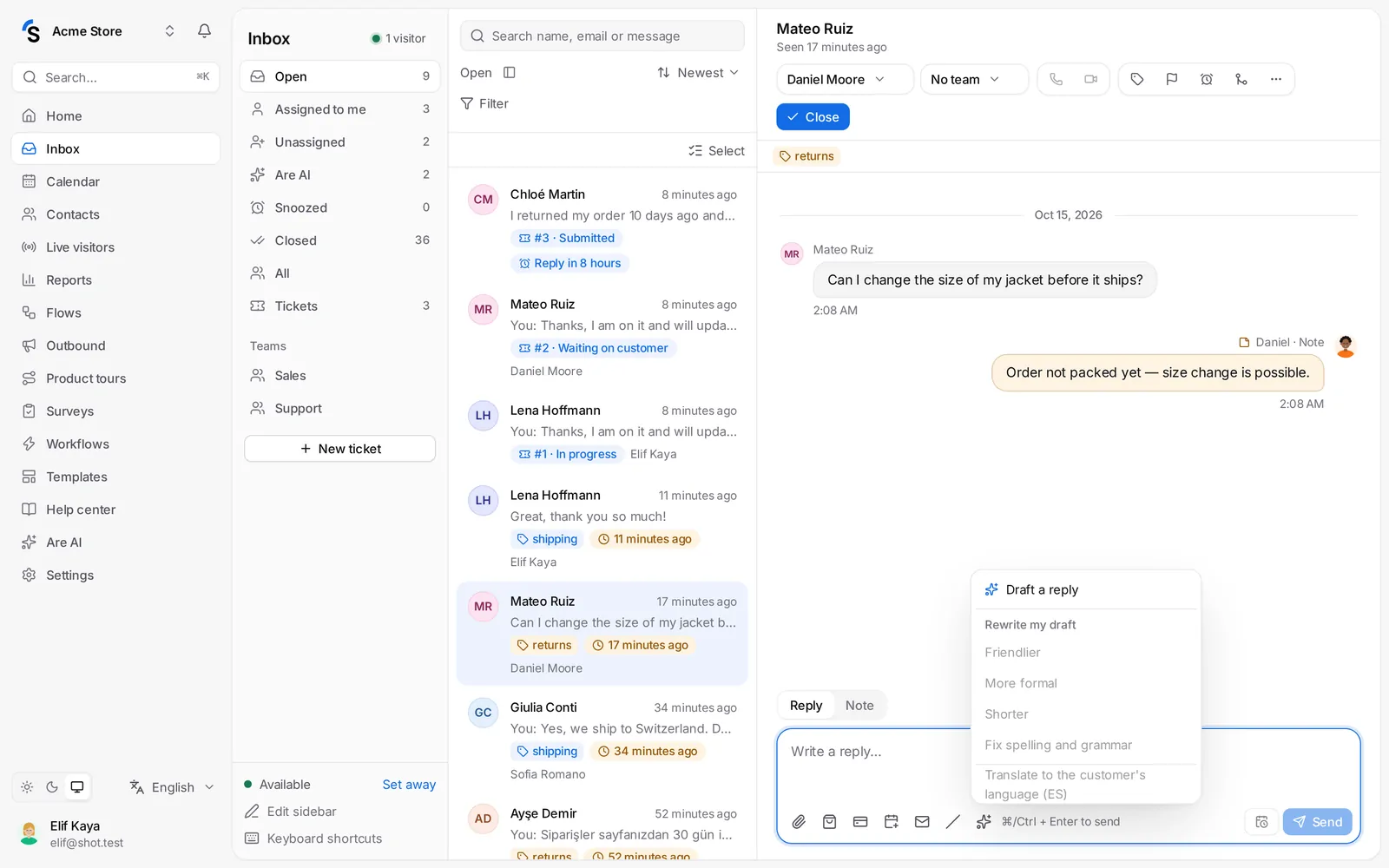
- Draft a reply — writes an answer from your knowledge into the reply box. Edit it and send.
- Rewrite my draft — write something first, then choose Friendlier, More formal, Shorter or Fix spelling and grammar.
- Translate to the customer's language — your draft in the customer's language. For whole conversations, see Live translation.
In the contact panel on the right, Summarise gives an AI summary of a long conversation, so you can take over in seconds. Click Refresh after new messages.
Good to know
- Copilot only sees the current conversation, the contact and your knowledge.
- If Hide personal data from the AI provider is on, emails, phone and card numbers are replaced before text is sent.
Still stuck? Contact