
Flows
Guided conversations with buttons in the Messenger — greet, qualify, answer and hand over without AI.
A flow is a short conversation with buttons that guides a visitor — for example Track my order, Talk to sales, Something else. It needs no AI.
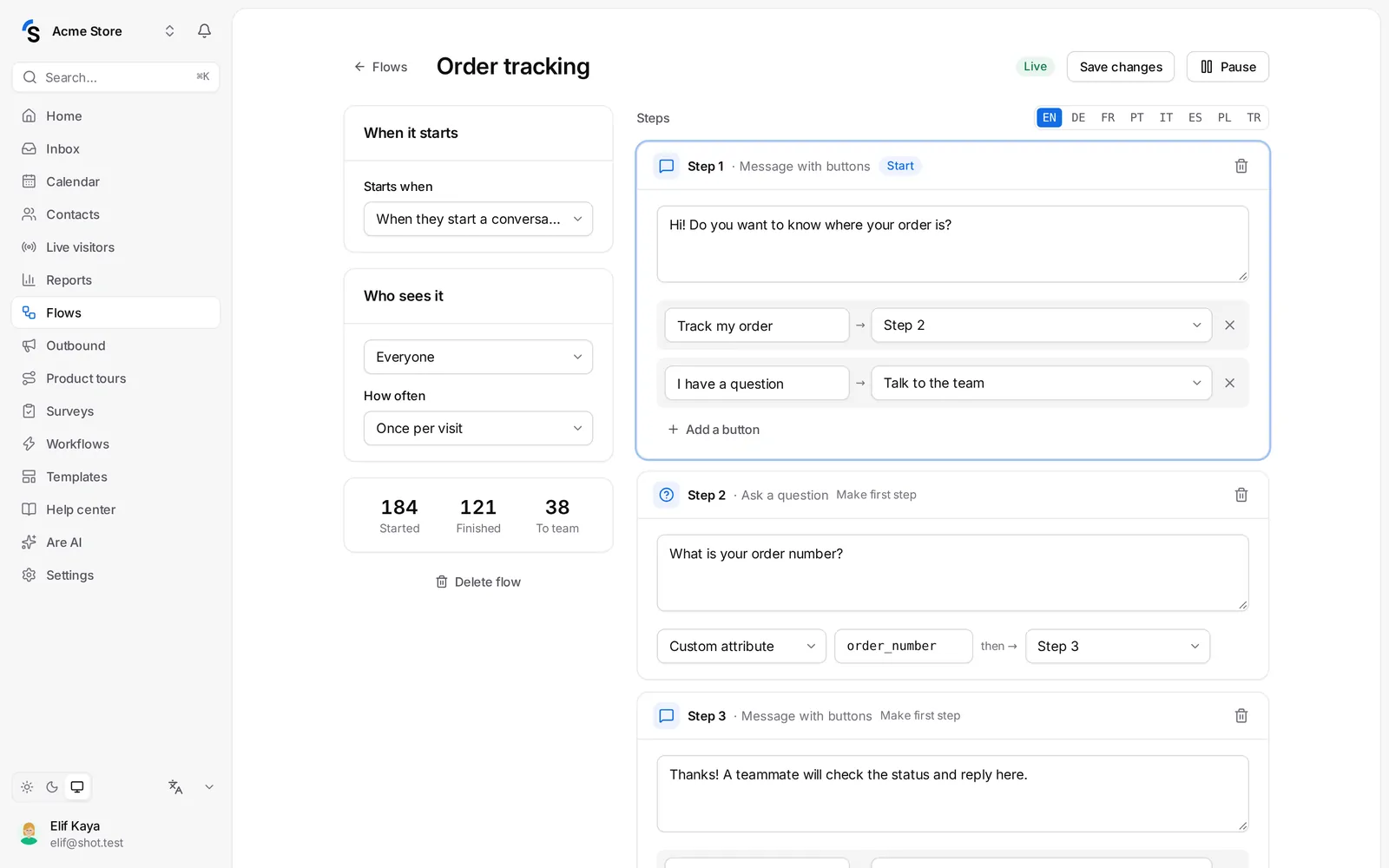
Create a flow
- Go to Flows and click New flow — or pick a ready-made one in Templates.
- Give it a Name.
- Write the first step under What the bot says, for example Hi! What can we help you with?
- Click Add a button for each choice. Give it a Button text and choose where it goes: another step (Go to), Open a link, Open a help article, Talk to the team or End the conversation.
- Click Add a step to build the next steps.
- Click Preview to click through it like a visitor.
- Click Go live.
Step types
- Message with buttons — text and up to a few buttons.
- Ask a question — Ask for an Email, Phone, Name or a Custom attribute, and save the answer on the contact. Wrong answers are asked again.
- Call a data connector — look something up in your own system, for example an order status, and show it in the next message. Choose what happens If it works and If it fails. See Data connectors.
- Hand to the team — the conversation moves to your inbox and normal routing applies.
- End.
When it starts
Under When it starts, choose:
- When they start a conversation — instead of an empty chat.
- When a page opens or After time on a page (in seconds).
- When an event happens — an event your site sends with
trackEvent, for exampleadded_to_cart.
Under Who sees it, choose Everyone, Only visitors who are not logged in, Only logged-in users or a Segment. Add page rules (address contains, is, starts with …) and choose How often: Once per person, At most once a day, Once per visit or Every time.
While a flow runs
Conversations in a flow stay out of the inbox until they are handed over. If the visitor types a message instead of clicking, or asks for the team, the flow hands over at once.
Results
Each flow shows how many visitors Started, Finished and went To team. Pause stops it; Duplicate copies it. How many flows can be live at once depends on your package.
Still stuck? Contact