
Contacts
Everyone who talks to you — profiles, custom attributes, companies, segments, import and export.
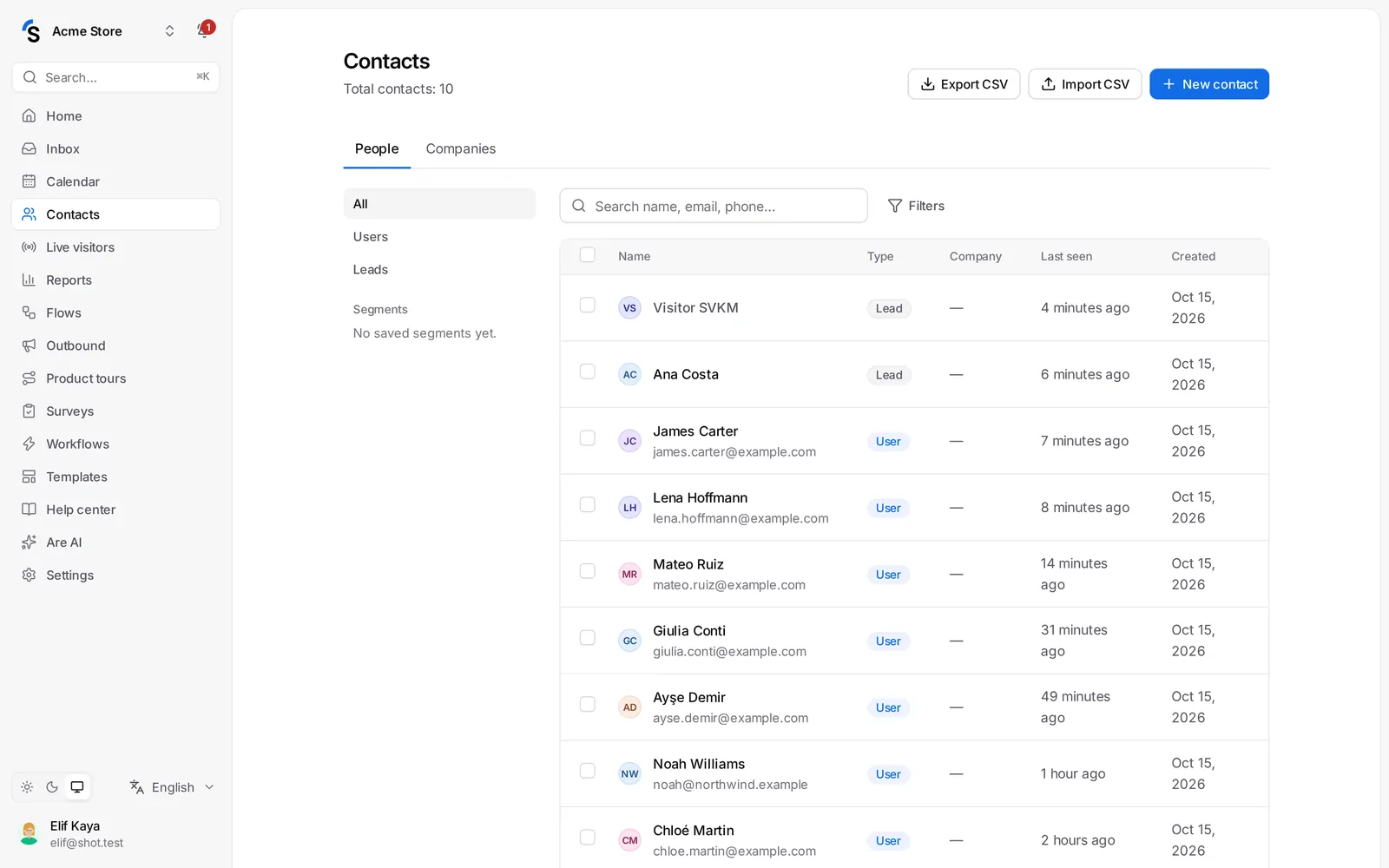
Contacts lists everyone who visited your site with the Messenger or wrote to you: Users (people you identified, for example logged-in customers) and Leads (anonymous visitors).
Find people
- Search by name, email or phone.
- Click Filters → Add condition to filter by a field (email, language, last seen …), a Custom attribute or an Event — for example has done
checkout_startedin the last 7 days. - Click Save as segment to keep the filter. A segment updates by itself: new contacts that match appear in it. Segments are used in flows, banners and messages and product tours.
Tick contacts and use Bulk actions to Block or delete them.
A contact's profile
Click a contact to see their details (email, phone, User ID, language), device and location, Custom attributes, companies, Events and Conversations. You can edit details, Add attribute and Add to a company…
Custom attributes are extra data about a person — a plan, a customer number, a loyalty level — sent from your site with the JavaScript API or added by hand. They work in filters, segments, workflows and saved-reply variables.
Companies
Open Companies under Contacts. A company is created when your site sends a company with a logged-in user, or with New company. Each company shows its People and Website. Deleting a company keeps its people; they are only unlinked.
Import contacts
- Click Import CSV and choose a file (comma, semicolon or tab separated, up to 10 MB).
- For each column, choose what it contains: Name, Email, Phone, User ID, Company name, a Custom attribute — or Skip.
- Map at least one column to Email or User ID, and click Start import.
Existing contacts are updated, not duplicated. The result shows how many were created, updated and skipped. Moving from another tool? See Move to Shopxare.
Export
Click Export CSV to download the current list, with its filters.
Events
Send what customers do on your site with Shopxare('trackEvent', name, meta). Events show on the profile, work in segments and can start flows. See the JavaScript API.
Still stuck? Contact