
Your profile and workspace settings
How customers see you, your language and signature, and the workspace's name, time zone, translation, privacy and auto-close settings.
Your profile
Go to Settings → Profile.
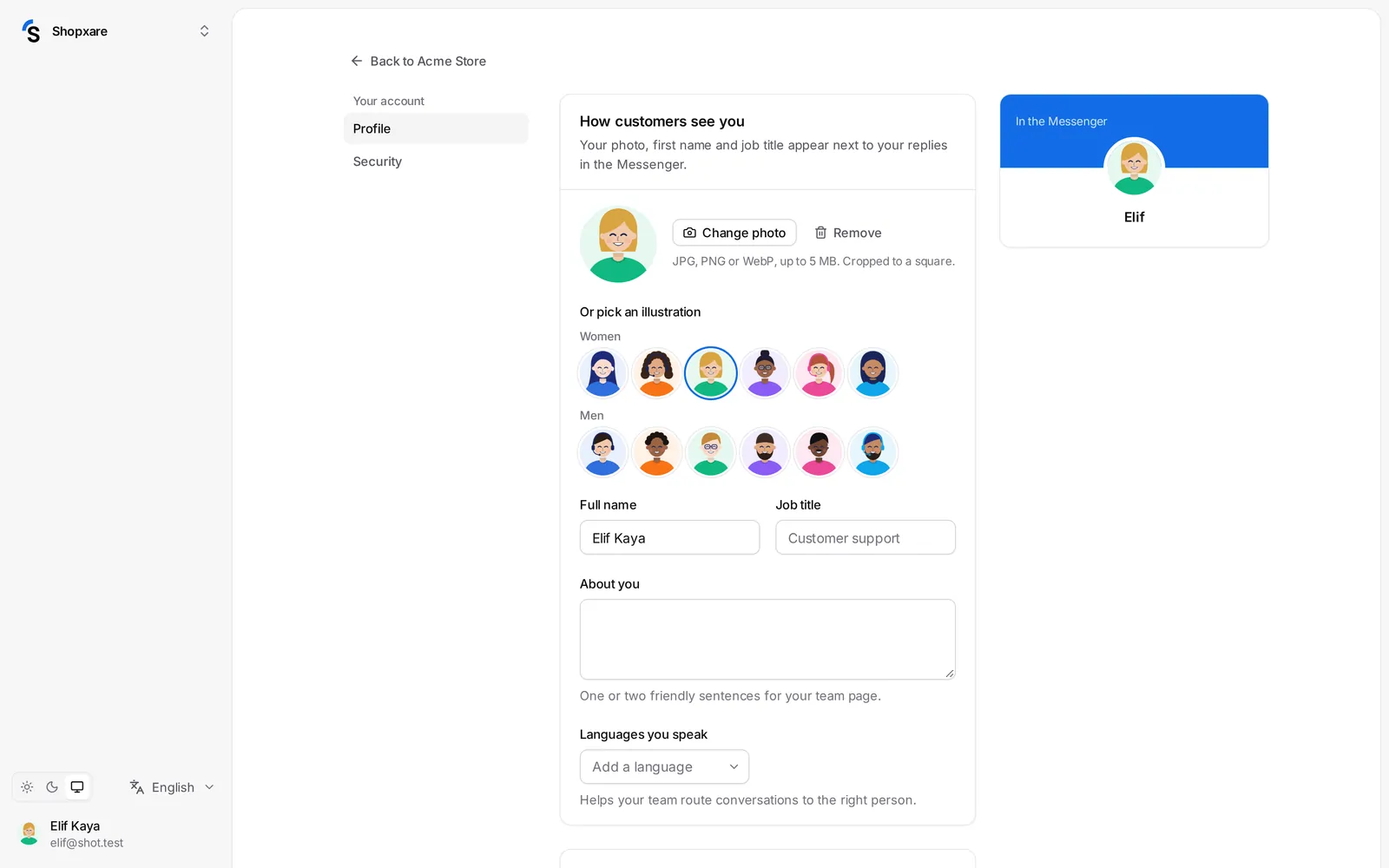
- Add photo (JPG, PNG or WebP, up to 5 MB) — or pick an illustration.
- Your name, Job title and About you. Under How customers see you you see how your photo, first name and job title appear in the Messenger.
- Languages you speak — helps your team route conversations to the right person.
- Email signature — added under your replies that go out by email.
- Language of the app and Product news emails, under Preferences.
Two-step verification, passkeys and devices are in Settings → Security — see Security.
Workspace settings
Admins go to Settings → General:
- The workspace name and Time zone — used for office hours and reports.
- Show one picture instead of teammates' photos — customers see this picture whoever replies.
- Live translation — see Live translation.
- Urgency and mood detection — upset or urgent customers are marked and move to high priority.
- Hide card numbers and passwords — card numbers (all but the last 4 digits), security codes and passwords in customer messages are masked.
- Close quiet conversations — see Snooze, send later and auto-close.
The Workspace ID at the bottom is useful when you contact support.
More workspaces
Use the workspace menu at the top left to switch workspaces or create a New workspace — for example for a second brand. Each workspace has its own Messenger, team, settings and package.
Still stuck? Contact