
Workflows
"When this happens, and these conditions are true, do this" — routine inbox work that happens by itself.
A workflow does routine inbox work for you: tag conversations from the pricing page, close spam, remind the team when a customer waits, send data to your other tools.
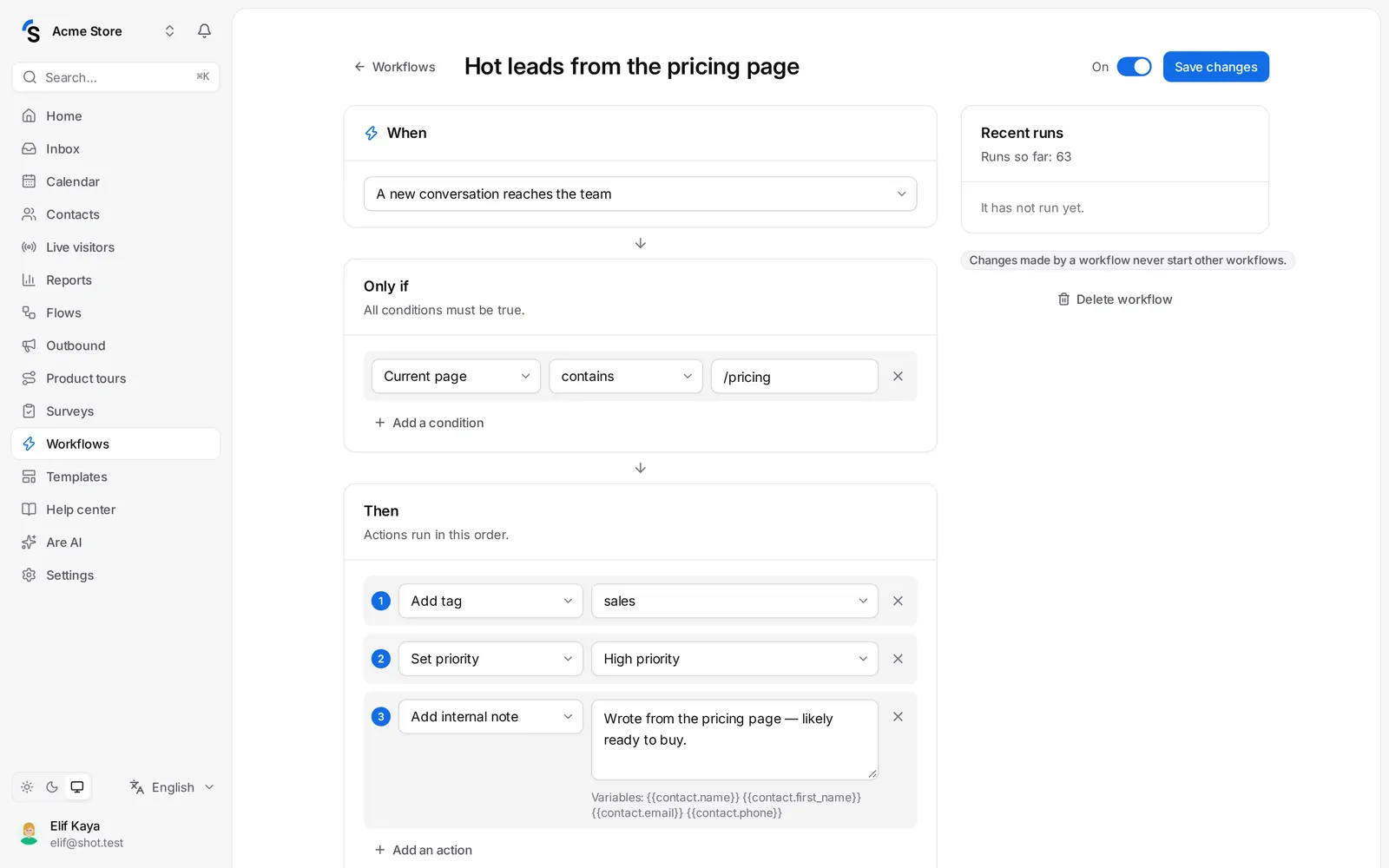
Create a workflow
- Go to Workflows and click New workflow — or start from a template.
- Give it a Name.
- Under When, choose the trigger.
- Under Only if, add conditions (all must be true). Without conditions it runs every time.
- Under Then, add actions. They run in this order.
- Save and switch it On.
Triggers
- A new conversation reaches the team
- The customer writes again
- A teammate replies
- A conversation is closed
- A tag is added
- The customer has waited for… (minutes without a reply)
- The customer has not answered for… (minutes of silence after your reply)
Conditions
Channel, Priority, Assignee, Team, Tag, Contact type, Contact email, Language, Current page, Customer message, Custom attribute, Office hours (open or closed) and Type (conversation or ticket) — with is, is not, contains, starts with, is set, is empty …
Actions
- Assign to teammate, Assign to team or Unassign
- Add tag or Remove tag
- Set priority
- Reply to the customer — saved-reply variables work, for example
{{contact.first_name | there}} - Add internal note
- Snooze (5 minutes to 30 days) or Close conversation
- Call a data connector — see Data connectors
- Send to a webhook — a JSON message to your own address; check the
X-Shopxare-Signatureheader with the Webhook signing secret. See Webhooks.
Examples
- A new conversation reaches the team + Current page contains /pricing → Assign to team Sales, Add tag pricing.
- The customer has waited for 30 minutes + Priority is high → Add internal note "@Team, still waiting".
- A conversation is closed + Tag is order-issue → Send to a webhook.
Run log
Each workflow shows Runs so far and its Recent runs. Changes made by a workflow never start other workflows, so loops can't happen. How many workflows can be active depends on your package.
Still stuck? Contact