
Roles and permissions
Decide exactly what each teammate can see and do, with built-in roles or your own.
Go to Settings → Roles.
Built-in roles
- Owner — everything, including billing and deleting the workspace. There is one owner.
- Admin — everything except the owner-only actions.
- Agent — reads and answers conversations and works with contacts.
- Viewer — can look, but not change anything.
Built-in roles can't be changed; create your own role when you need something in between.
Create a role
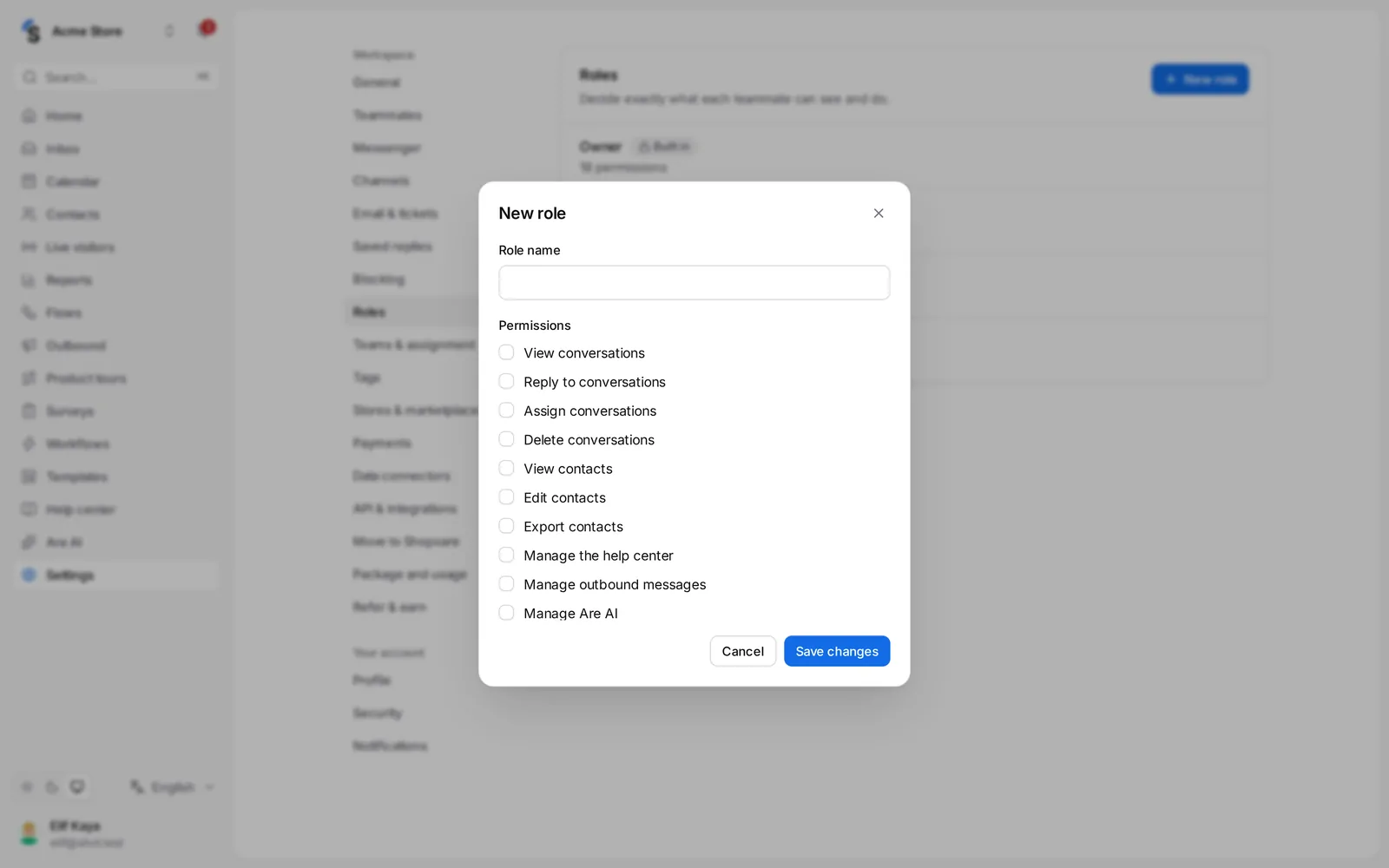
- Click New role and give it a Role name, for example Support lead or Freelancer.
- Tick its Permissions:
- View conversations, Reply to conversations, Assign conversations, Delete conversations
- View contacts, Edit contacts, Export contacts
- Manage the help center, Manage outbound messages, Manage Are AI
- View reports
- Manage teams, Manage teammates, Manage channels, Manage workspace settings
- Manage API tokens and webhooks, Manage billing
- Save. The list shows how many permissions each role has.
Give someone a role
In Settings → Teammates, open the role menu next to a name, or choose the role when you invite someone — see Invite your team. A role that is still assigned to teammates can't be deleted; give them another role first.
Custom roles depend on your package.
Still stuck? Contact