
Zapier, Make and n8n
Connect Shopxare to thousands of apps — send new conversations, contacts and tickets to your CRM, sheets or Slack, and act on them.
Go to Settings → API & integrations and open the Zapier, Make, n8n tab. Use it to send new conversations to your CRM, add contacts to a spreadsheet, create tasks from tickets and more — without writing code.
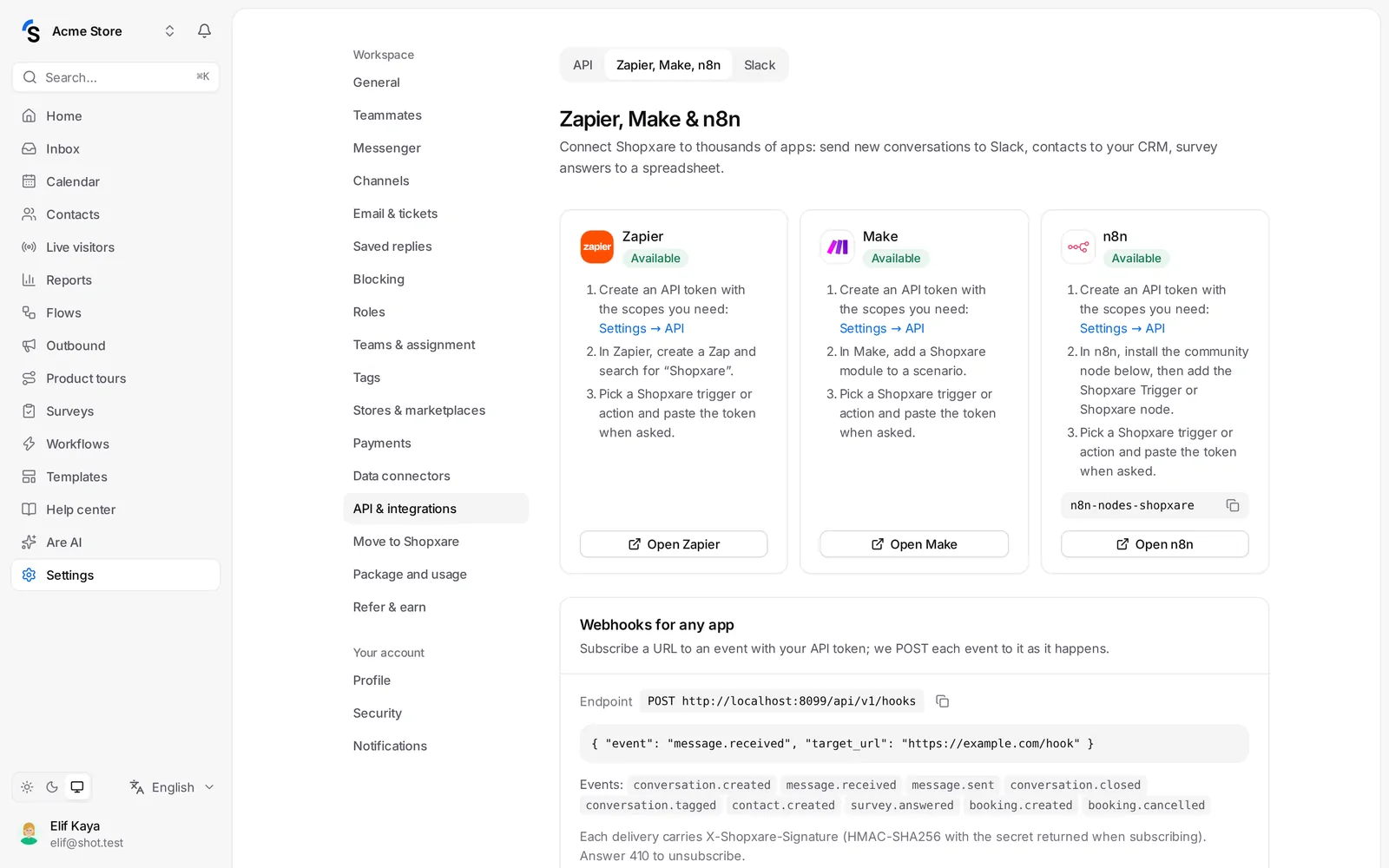
Connect in three steps
- Create an API token in the API tab of the same page, with only the scopes you need — for example read conversations and messages and read contacts and their events. Copy it: it is shown only once. See REST API.
- Pick the app:
- Zapier — create a Zap and search for "Shopxare".
- Make — add a Shopxare module to a scenario.
- n8n — install the Shopxare community node shown on the page, then add it to a workflow.
- Choose a Shopxare trigger or action and paste the token when the app asks for it.
When a Zap, scenario or workflow starts listening, it appears under Active connections, with the Event, the Last delivery and any failures. Pause, Resume or Remove a connection there.
Webhooks for any app
Any other platform can subscribe a URL to an event with your API token; Shopxare then sends a POST with JSON for every event. Each delivery carries an X-Shopxare-Signature header (HMAC-SHA256) so you can check it came from us. See Webhooks.
Good to know
- The token acts as you: it can never do more than your role allows.
- Give each integration its own token, so you can revoke one without breaking the others.
- The API and webhooks depend on your package.
Still stuck? Contact