
Welcome to Shopxare
What Shopxare is, what you can do with it and the fastest way to get set up.
Shopxare is one place to talk with your customers. It brings together:
- a Messenger — the chat window on your website, with a home screen, tickets and announcements,
- a shared inbox for chat, email, Telegram and marketplace messages,
- Are AI, an AI agent that answers from your own content and hands over to a person when it is not sure,
- a public help center, automation (flows, workflows, product tours), surveys and reports,
- apps for iPhone, Android, Mac and Windows.
Set up in five steps
When you open Shopxare, the Home page shows a Get set up checklist. Each step links to the right screen and is ticked off by itself when it is done.
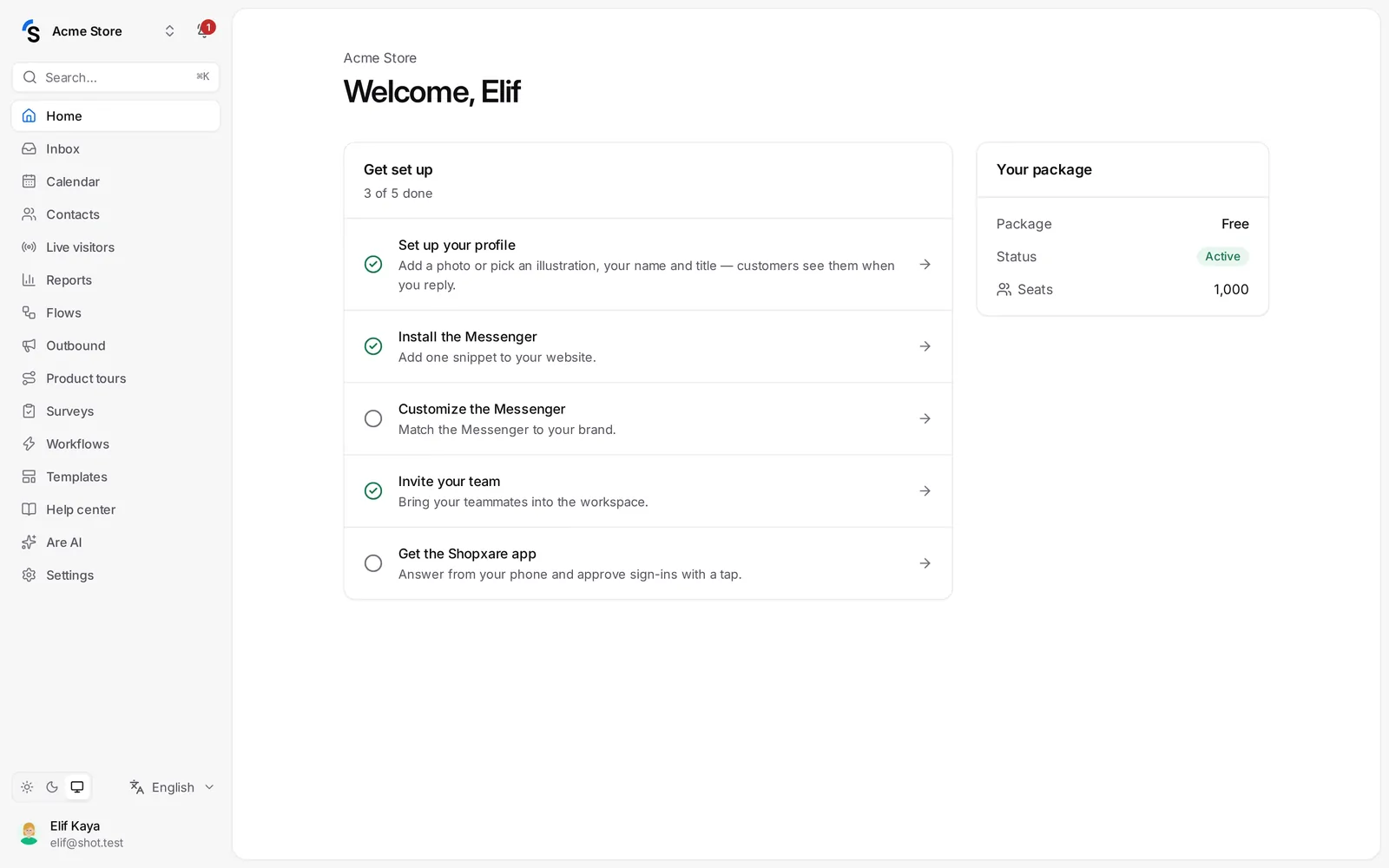
- Install the Messenger. Paste one snippet on your site, or use the WordPress, Shopify or ikas integration. See Install the Messenger.
- Customize the Messenger. Pick your brand color, a home background and the cards on the home screen. See Customize the Messenger and The Messenger home.
- Invite your team. Add teammates and give each one a role. See Invite your team.
- Set up your profile. Add a photo or pick an illustration, your name and title — customers see them when you reply.
- Get the Shopxare app. Answer from your phone and approve sign-ins with a tap. See Shopxare Mobile and the desktop apps.
Then open your own website, write a message in the Messenger and answer it from the inbox.
Moving from another tool?
Bring your contacts, past conversations and help articles with you. See Move to Shopxare.
What to set up next
- Write a few help center articles. Customers find answers alone, and Are AI uses them to answer.
- Turn on Are AI to answer common questions any time of day.
- Add saved replies for the answers you write again and again.
- Use workflows to assign, tag and close conversations automatically.
- Ask customers how you did with a survey and follow your reports.
Still stuck? Contact