
Customize the Messenger
Brand color, theme, home background, launcher, features, languages and security of the chat on your website.
Go to Settings → Messenger. The page has tabs — Appearance, Launcher, Home screen, Languages, Features, Security and Install. On the right you see the real Messenger in a live preview: every change appears there right away. Switch the preview between Home, Messages, Conversation and Help, or between desktop and phone. Click Save changes to publish.
Appearance
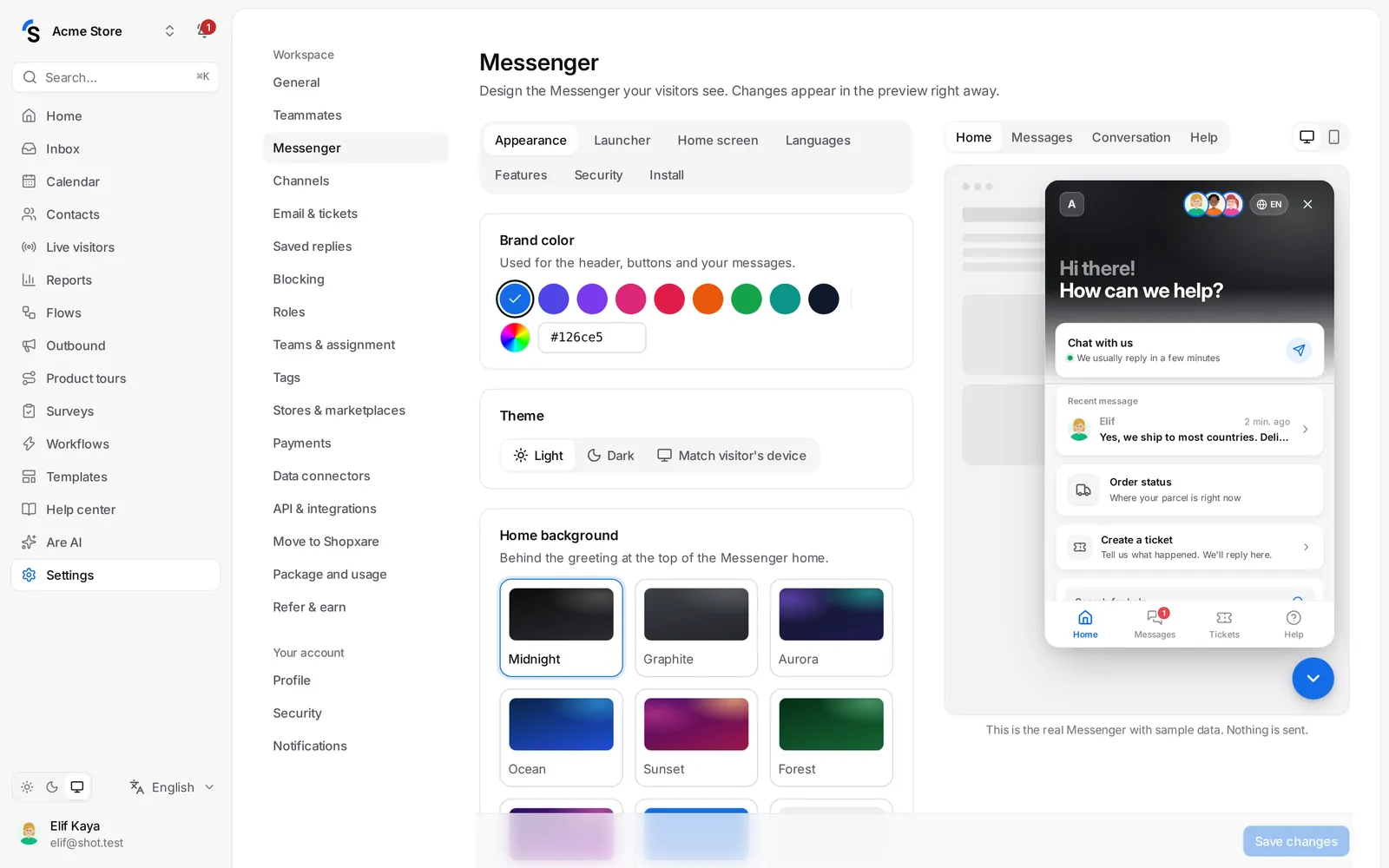
- Brand color — pick one of the colors or enter your own. It is used for buttons, links and your messages.
- Theme — Light, Dark or Match visitor's device.
- Home background — the background behind the greeting at the top of the home screen: Midnight (the default), Graphite, Aurora, Ocean, Sunset, Forest, Berry, your brand color, Light, or Custom with your own two colors. See The Messenger home.
- Corners — rounder or squarer cards and buttons.
- Header — what the top shows next to the close button: your logo (or the first letter of your workspace name), your brand name, or nothing.
- Logo — PNG, JPG or WebP, up to 1 MB.
Launcher
The launcher is the button in the corner of your site.
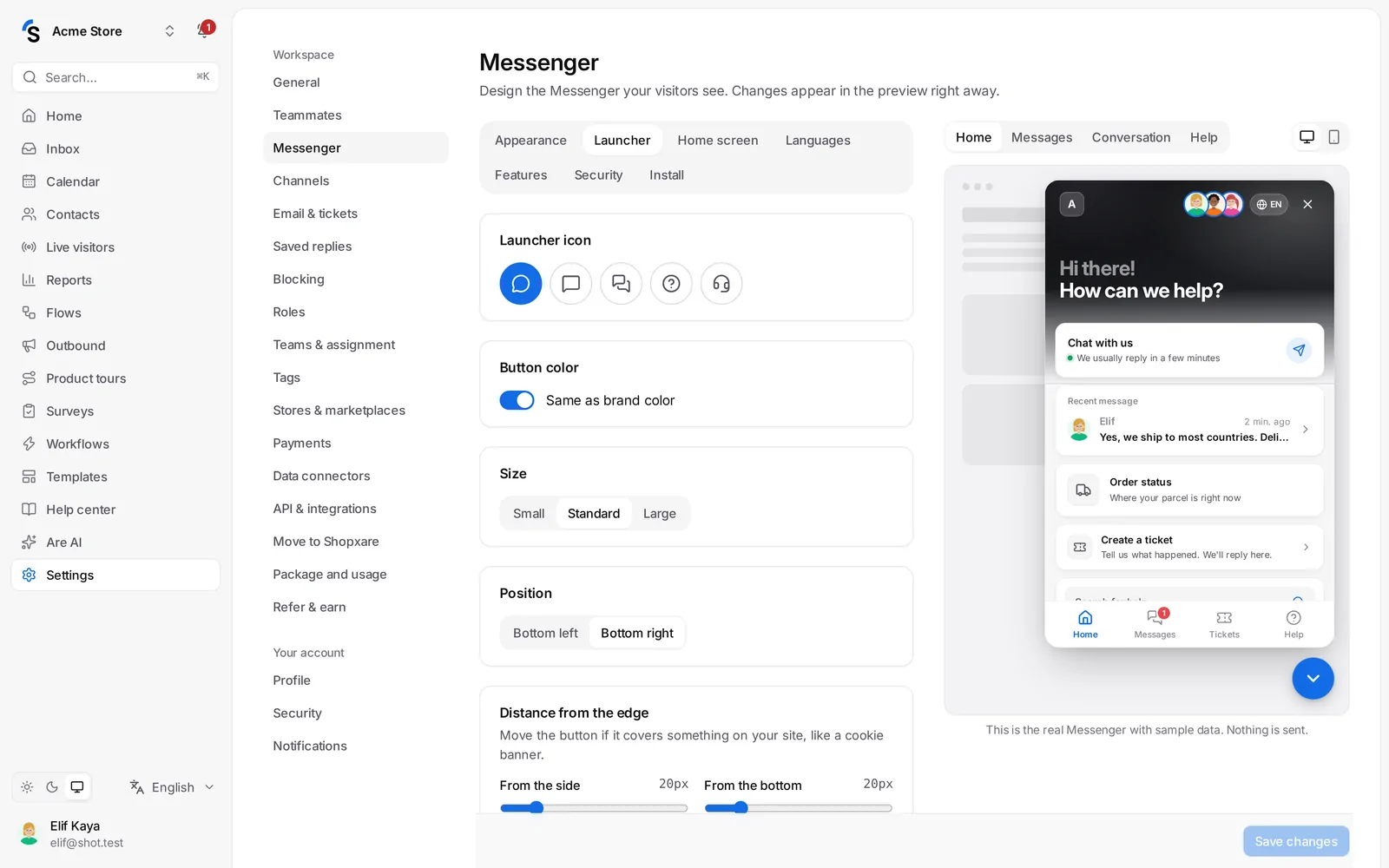
- Launcher icon, Button color and Size (small, standard, large).
- Position — bottom right or bottom left.
- Distance from the edge — move the button up or in, for example when it covers a cookie banner or a "back to top" button.
- Button text — a short text next to the icon, in each language. Leave it empty for a round button.
- Hide the button on phones.
Home screen
The greeting, the button that starts a conversation, the reply time, the spaces and the cards on the home screen. Everything about it is in The Messenger home.
Features
Switch each one on or off:
- Pre-chat form — ask for name, email or phone before the first message.
- Ask for an email when nobody is online — so you can reply later by email.
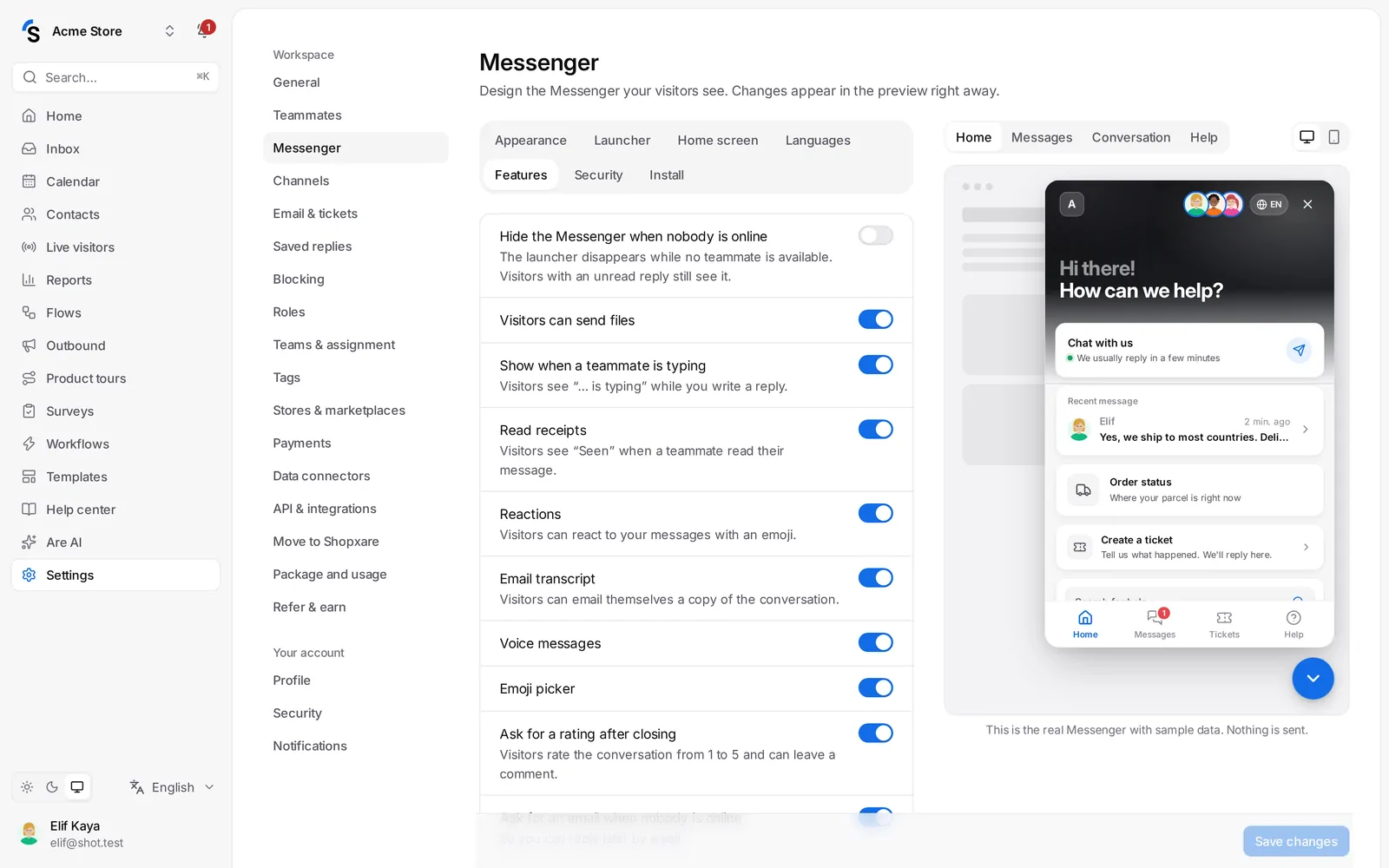
- Ask for a rating after closing.
- Visitors can send files, Emoji picker, Voice messages and voice and video calls.
- Reactions — visitors react to your messages with an emoji.
- Read receipts — visitors see "Seen" when a teammate read their message.
- Show when a teammate is typing.
- Typing preview — your team sees what visitors type before they press send. Mention it in your privacy notice.
- Email transcript — visitors can email themselves a copy of the conversation.
- Hide the Messenger when nobody is online — visitors with an unread reply still see it.
- Visitor analytics — counts visits and pages for live visitors and traffic reports.
Languages
Choose the main language and which languages the Messenger may speak, whether it follows the visitor's browser, and whether visitors may switch the language from a small menu on the home screen. Texts you leave empty use the default text in each language.
Security
Limit the websites where the Messenger may load and require identity verification for logged-in customers.
Some appearance options depend on your package; see Packages and usage.
Still stuck? Contact