Changelog

New features, improvements and fixes, as they ship.

Follow with RSS

3.7

A new Messenger home, tickets in the Messenger, and every Messenger switch explained

NewImproved
  • A new Messenger home. Pick a background for the top of the Messenger: Midnight (the new default), Graphite, Aurora, Ocean, Sunset, Forest, Berry, your brand colour, Light, or your own two-colour gradient. The greeting has two lines (up to two lines each), and you choose each line's colour or let it follow the background. A new Messenger home, tickets in the Messenger, and every Messenger switch explained
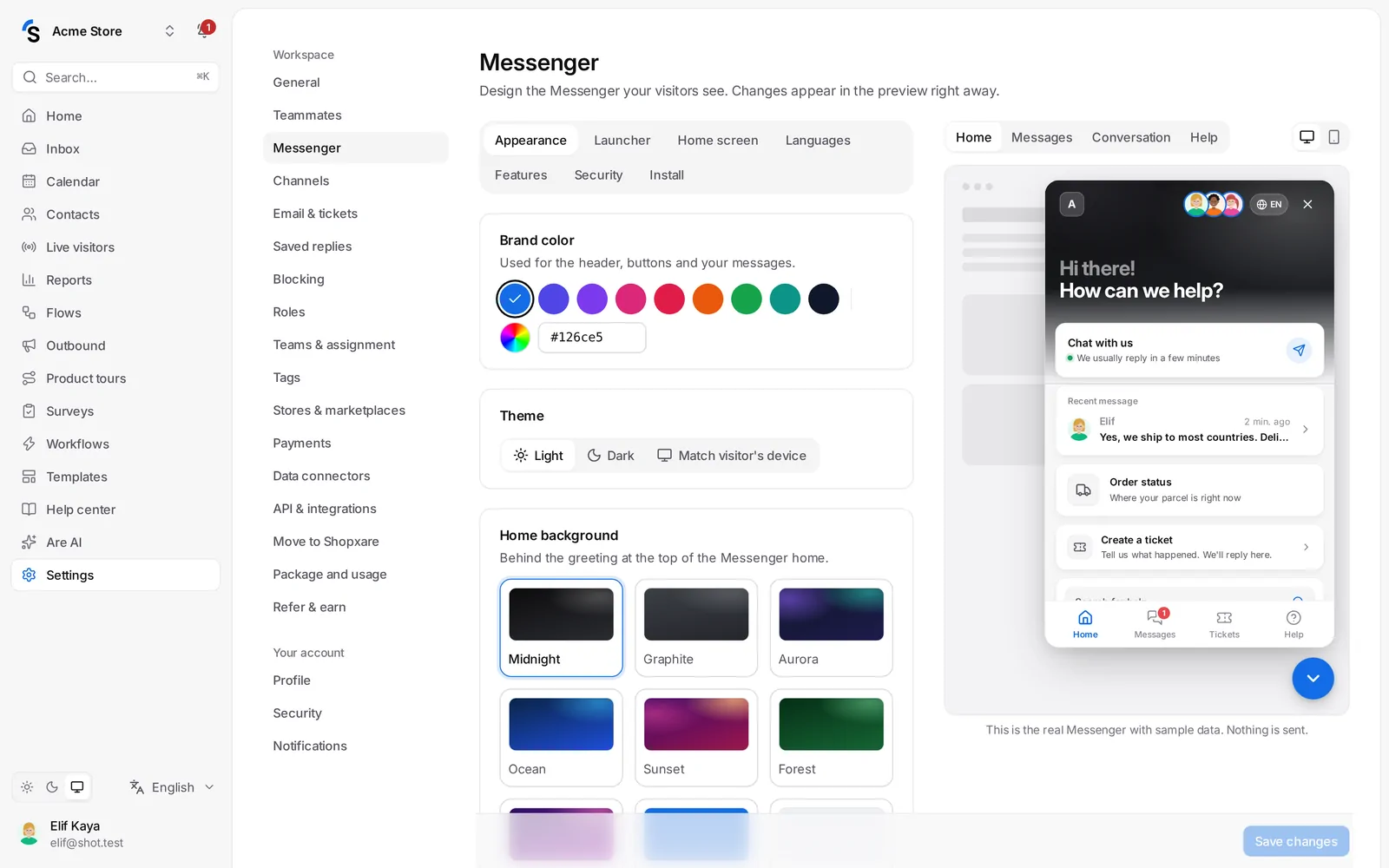
  • Home cards in your order. Turn on the cards you want and sort them with the arrows: send a message, recent conversation, order tracking, tickets, links, help center search and announcements. A link with an icon and a short description gets its own card, like a status page link.

  • Tickets in the Messenger. Visitors open a ticket with a subject and a description and follow it in a new Tickets tab: Submitted, In progress, Waiting for you, Resolved. It arrives in your inbox as a ticket. Off until you switch it on in Settings → Messenger → Home screen.

  • Announcements tab. Your published posts get their own tab next to Messages and Help.

  • Messenger switches in Settings → Messenger → Features: emoji reactions to your team's messages, read receipts (“Seen”), “is typing” while you write, a typing preview so your team sees a question before it is sent, an email transcript of the conversation, asking for an email or hiding the Messenger while nobody is online, continue on your phone with a QR code, and languages: which ones the Messenger speaks, matching the visitor's browser and a language menu.

  • Inbox. Are AI answers and automatic replies (“Still there?”, flows, workflows) now sit on your side of the conversation with an “AI” or “Automatic” label, so they never look like the customer wrote them. The message time stays at the bubble's outer edge.

  • Status page. Each server now has its own row (Server 1, Server 2), checked every minute.
3.6

Notifications in step on all your devices, and your own wording for the Messenger button

NewImproved
  • Read it once, it's gone everywhere: when you read or answer a conversation on the computer, its notification disappears from your phone — and the other way round, the bell and browser notifications clear when you answer from the phone.

  • No double alerts at your desk: while the inbox is open in your browser or the desktop app, the phone waits 30 seconds. If you have read or answered the conversation by then — or a teammate has replied — the phone stays quiet.

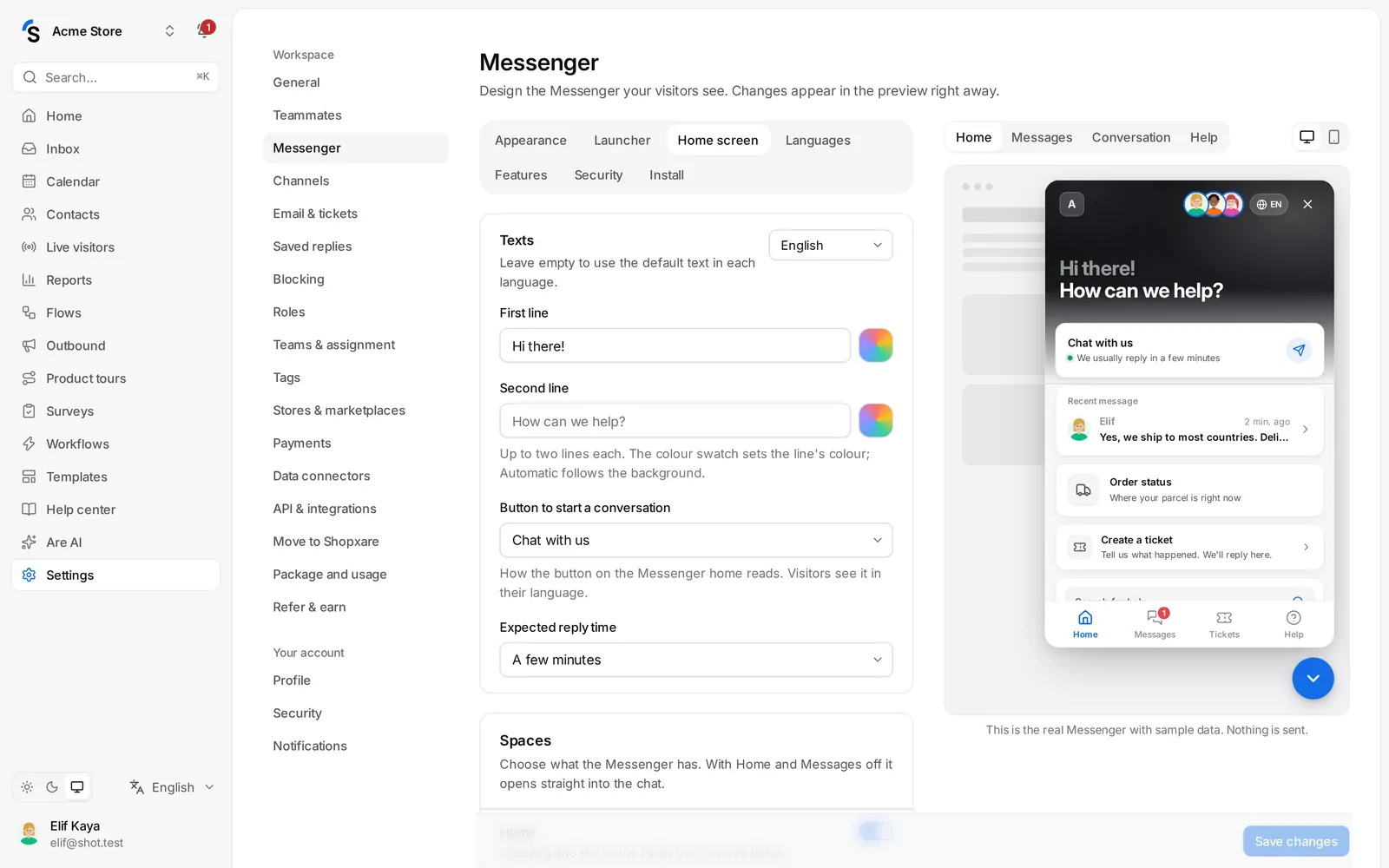
  • Messenger button wording: in Settings → Messenger choose what the start button on your site says — “Send us a message”, “Chat with us”, “Connect to live support”, “Talk to a person” or “Start a chat”. It is translated into your visitors' language. Notifications in step on all your devices, and your own wording for the Messenger button

  • Product tours — where people leave: each tour now shows, step by step, how many people reached it and where they closed the tour.

3.5

Product tours: guide people through your site or app step by step

New
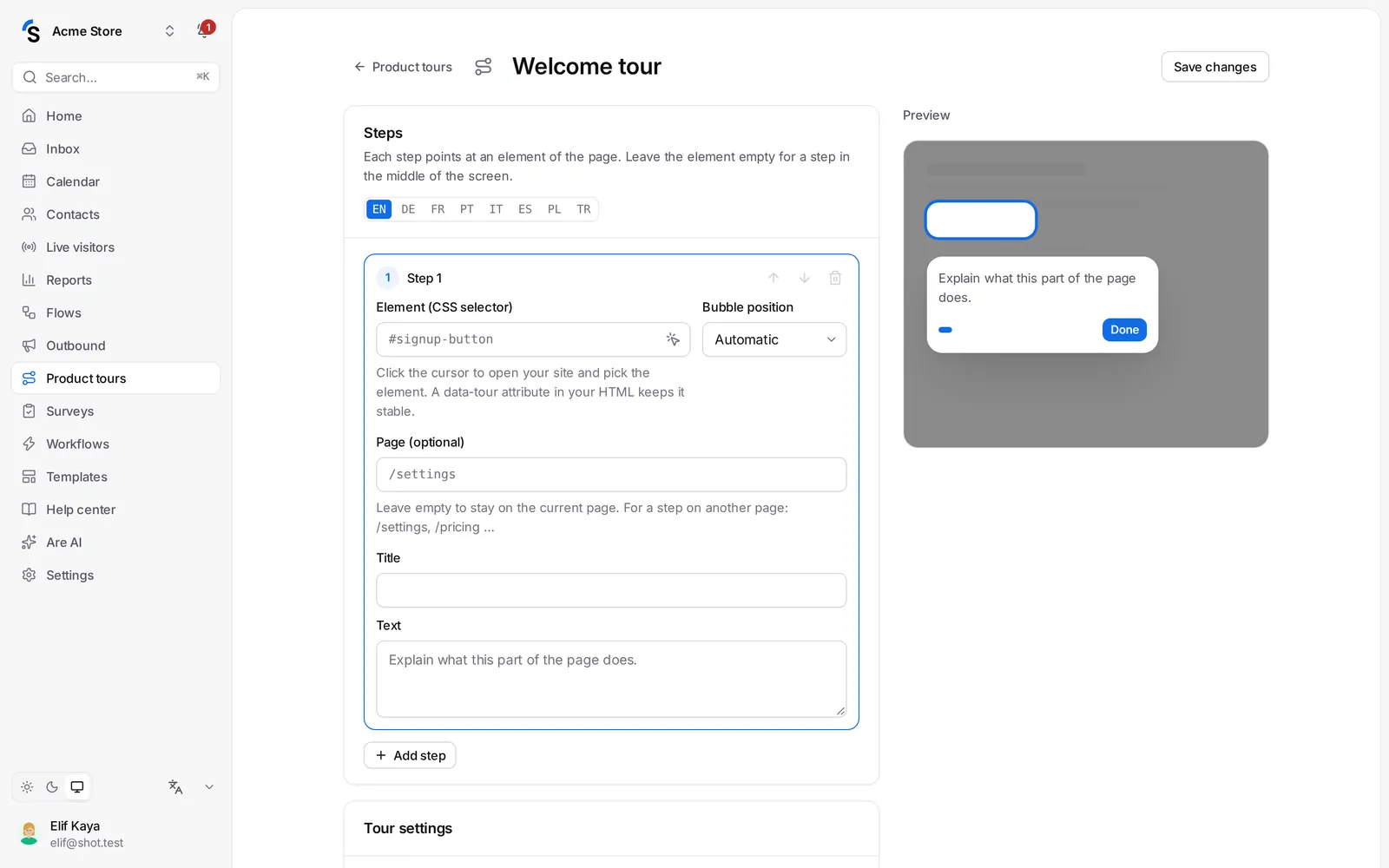
  • Product tours have their own menu: each step points at a real button or field on your page, with a short title and text. A step without an element opens in the middle of the screen. Product tours: guide people through your site or app step by step

  • Across pages: give a step a page (such as /settings) and the tour takes the visitor there and carries on.

  • Click to pick: click the cursor in the element field, your site opens, click the element — its selector and page land in the field by themselves.

  • Start a tour by itself on chosen pages (once per person), or from your page with Shopxare('startTour', id). Preview on your site before it goes live.

  • Texts in every Messenger language, your color, and results: seen, finished and closed. Read more in the docs.

3.4

Voice messages: a new player, listening in the phone app and “Convert to text”

NewImproved
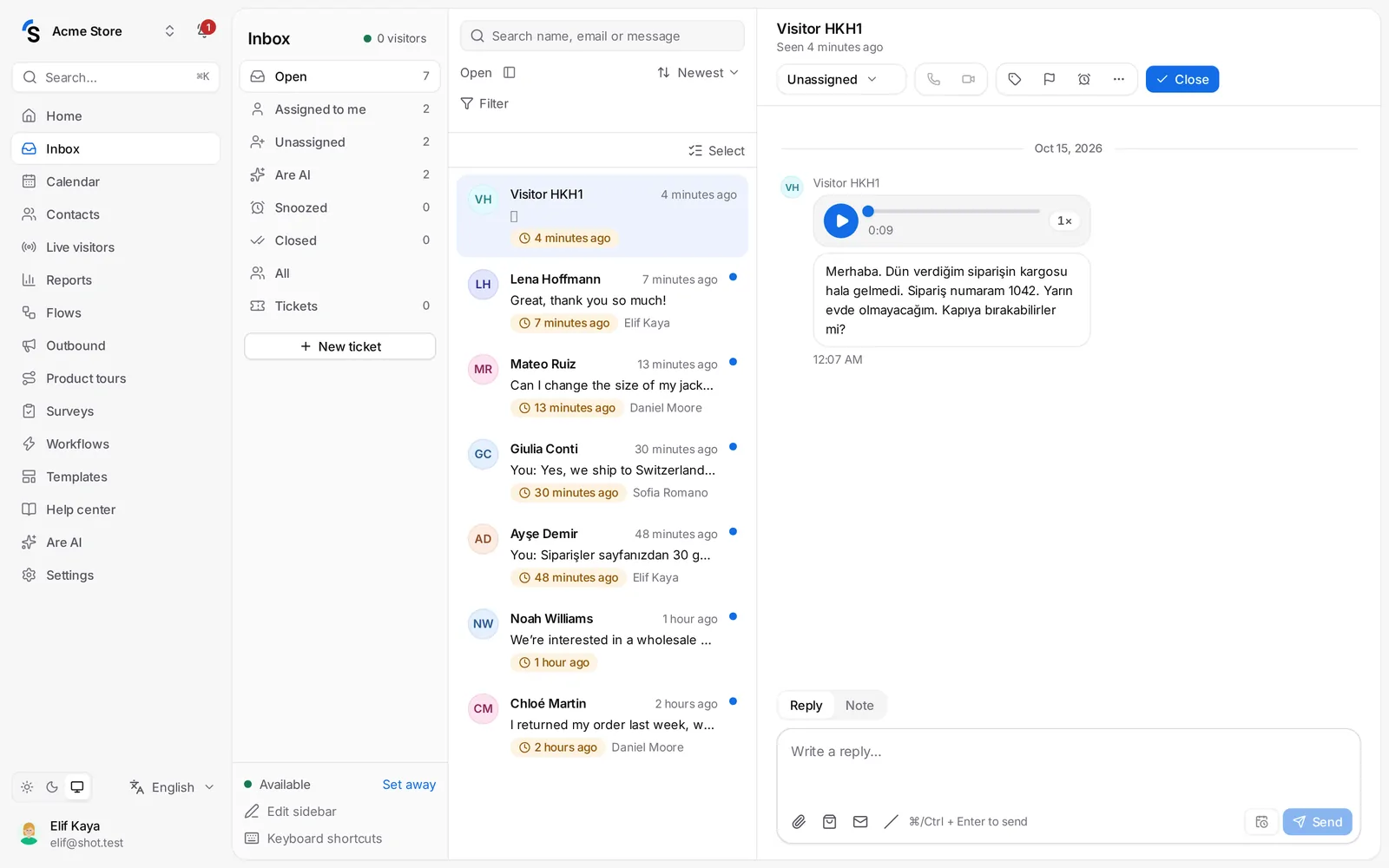
  • A voice player of our own in the inbox and in the Messenger on your site: play with one tap, jump anywhere on the bar and see the time. In the inbox you can also listen at 1.5× or 2×. Only one voice message plays at a time.

  • Convert to text: under every voice message from a customer, one tap turns it into text. Transcription runs on our own servers — nothing is sent to a third party, and there is no extra cost or limit. It recognises the language by itself; the text is kept, so your teammates see it right away. Voice messages: a new player, listening in the phone app and “Convert to text”

  • Phone app: voice messages from customers play right in the conversation, with Convert to text too. Update the app from the App Store or Google Play to listen in the app.

3.3

Video tutorials in the docs and a simpler Telegram setup

NewImproved
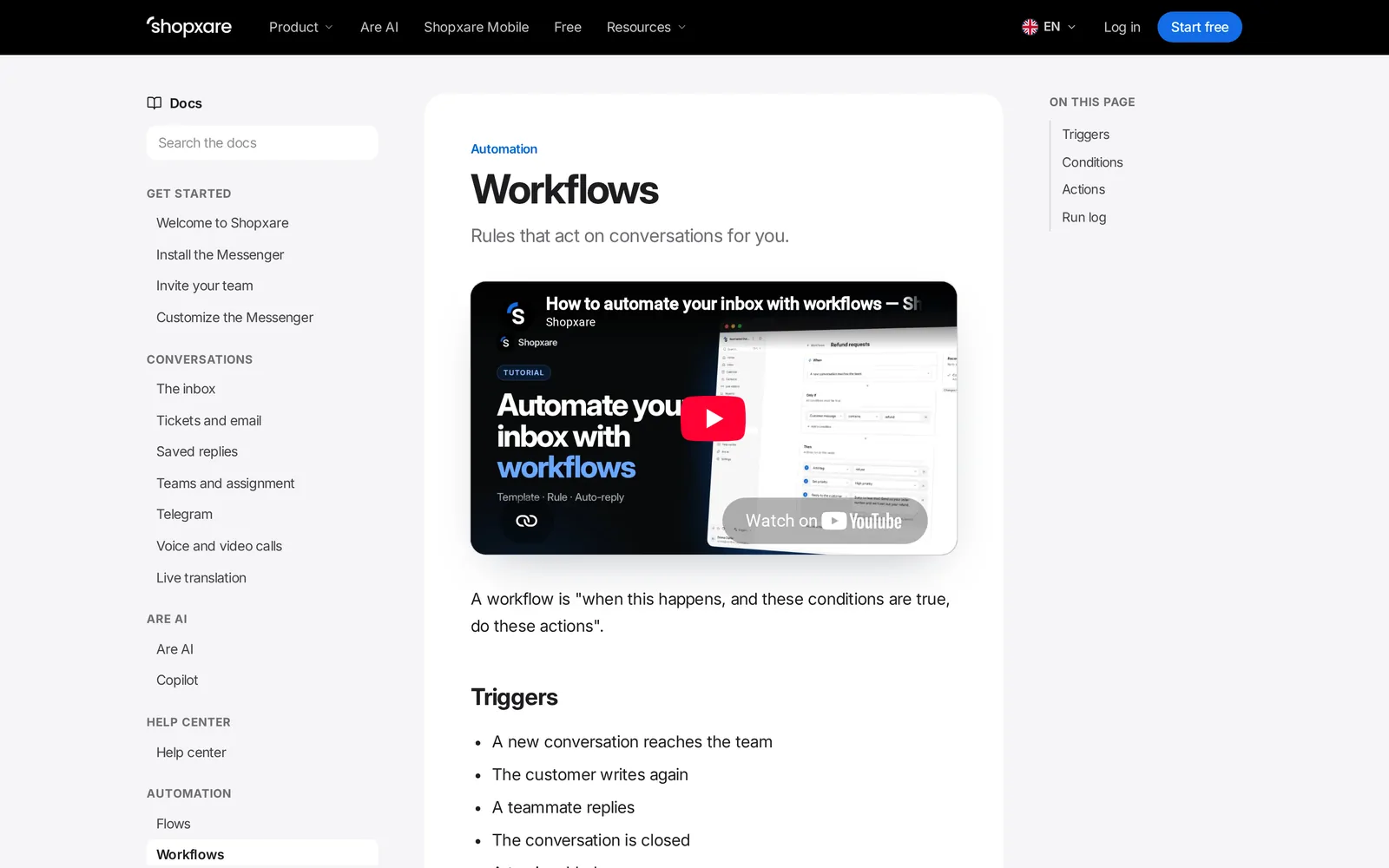
  • Video tutorials: short videos now play right in the docs — start with Set up Shopxare in 2 minutes and Answer faster with saved replies. New episodes arrive regularly on our YouTube channel. Video tutorials in the docs and a simpler Telegram setup

  • Settings → Channels: Telegram is set up in its own window behind Settings, like Messenger and email, so the page stays tidy.

  • Checkboxes in lists — for example What to import in Move to Shopxare — sit neatly one under the other.

  • When you create a workspace, you can type your website without https://.

3.2

Phone app 1.1.0: help & support, a Calendar tab and home screen widgets

NewImproved
  • Help & support in the app (Settings → Help & support): see your requests to the Shopxare team, open a new one with screenshots or videos, and reply — without leaving the app. When the team answers, a notification opens the request.
  • Calendar tab: your meetings for the next two weeks are one tap away in the bottom bar (when your package includes the calendar).
  • Home screen widgets: open and unassigned conversations and today’s next meeting on the home screen — on iPhone also on the Lock Screen.
  • Sorting opens right under the button, like the menu you get by pressing and holding a message.
  • Quick replies for notifications and Apple Watch are easier to edit: the whole text is visible and stays above the keyboard.
  • New notification setting: Replies from Shopxare Support.

Update the app from the App Store or Google Play.

3.1

Calendar & in-chat booking, one-click move, Slack and replies from Apple Watch

NewImproved
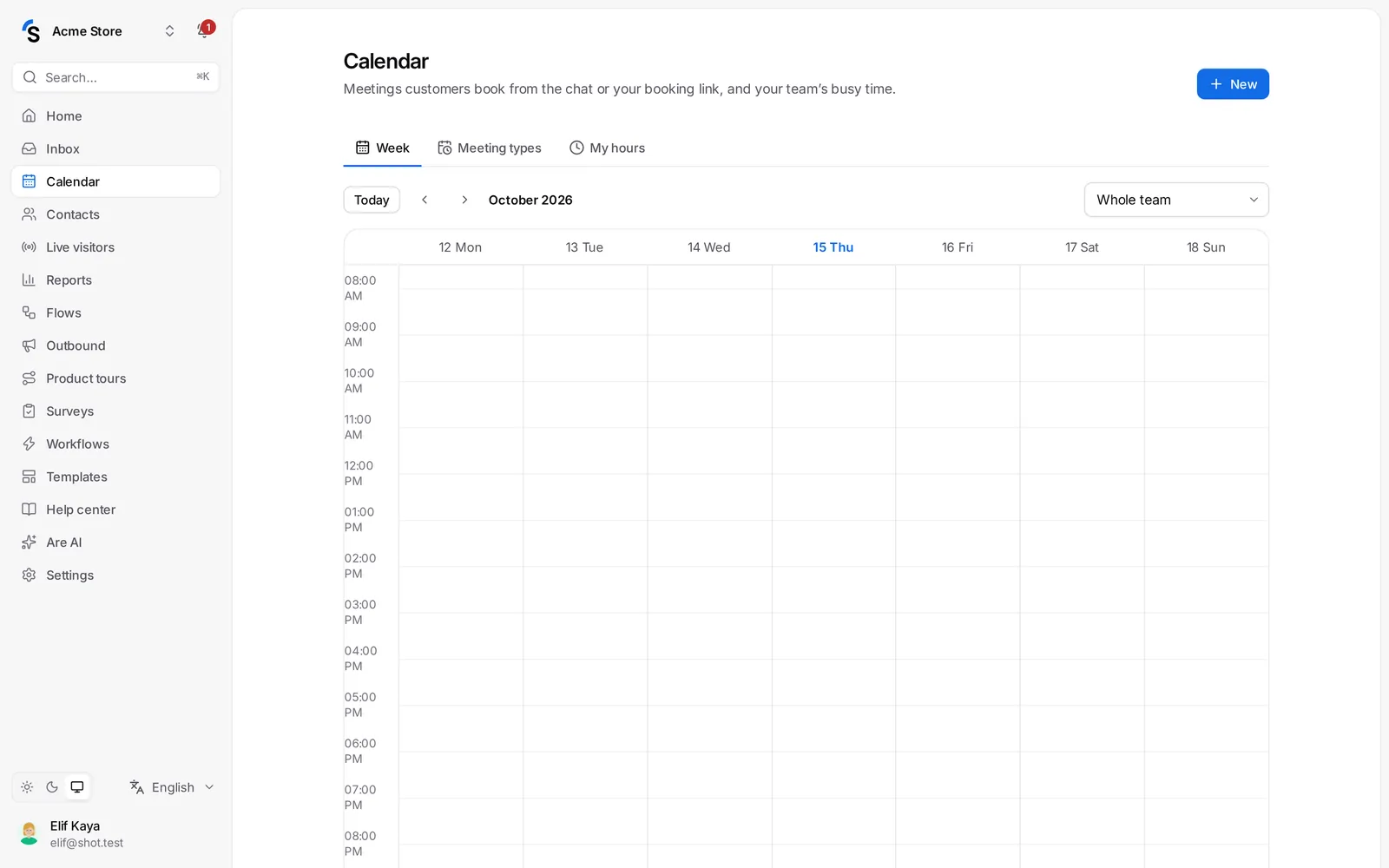
  • Calendar (Calendar): create meeting types such as a product demo or a consultation, set your hours and days off, and offer a meeting in any conversation. Customers pick a time right in the Messenger or from your booking link, get the invitation by email and reminders before it starts (email and/or chat). Round robin across the team, breaks between meetings, daily limits, a week view, and a feed for Google, Outlook or Apple Calendar. Calendar & in-chat booking, one-click move, Slack and replies from Apple Watch

  • Move to Shopxare (Settings → Move to Shopxare): paste an API key and we bring your contacts, past conversations and help articles from Intercom, Zendesk, Freshdesk, Help Scout, Gorgias, Crisp, LiveChat, HubSpot or Tidio. New workspaces are asked right after sign-up.

  • Slack: new conversations appear in a channel; reply in the thread and the customer gets the answer.

  • Are AI learns from your best answers: conversations customers rated well become answers Are AI can use, automatically or after your review.

  • Phone app: quick replies and Close on notifications — also on Apple Watch — a calendar screen, and Offer a meeting in conversations. Home screen widgets come with the next app version.

  • App Store on shopxare.com lists every integration — for example Shopify, WooCommerce, Amazon, Stripe and PayPal — plus new free tools (NPS, CSAT and staffing calculators), reply templates and a support glossary.

2.9

Shops, payments and marketplaces in your inbox

NewImprovedSecurity
  • Connect your shop: Shopify, WooCommerce, BigCommerce, Magento, Wix, Squarespace and more. Your team sees each customer's orders and cart, and customers track their orders in the Messenger. Shops, payments and marketplaces in your inbox

  • Payment links in conversations with Stripe, PayPal, Square, Braintree, Adyen, Checkout.com and many other providers.

  • Marketplace questions from Amazon, eBay, Mercado Libre and others arrive in the same inbox; Are AI can answer them too.

  • Abandoned cart reminders, exit pop-ups, send later, auto-close for quiet conversations, message reactions, side conversations and shifts.

  • Passkeys: sign in with Face ID, Touch ID or Windows Hello; on the phone, sign in to the web by scanning a QR code.

  • Free tools on shopxare.com: FAQ generator, chat-link preview and more.

  • Security: an end-to-end security review with every finding fixed the same day.

3.0

Surveys, Zapier, Make & n8n, and drafts that survive going offline

NewImproved
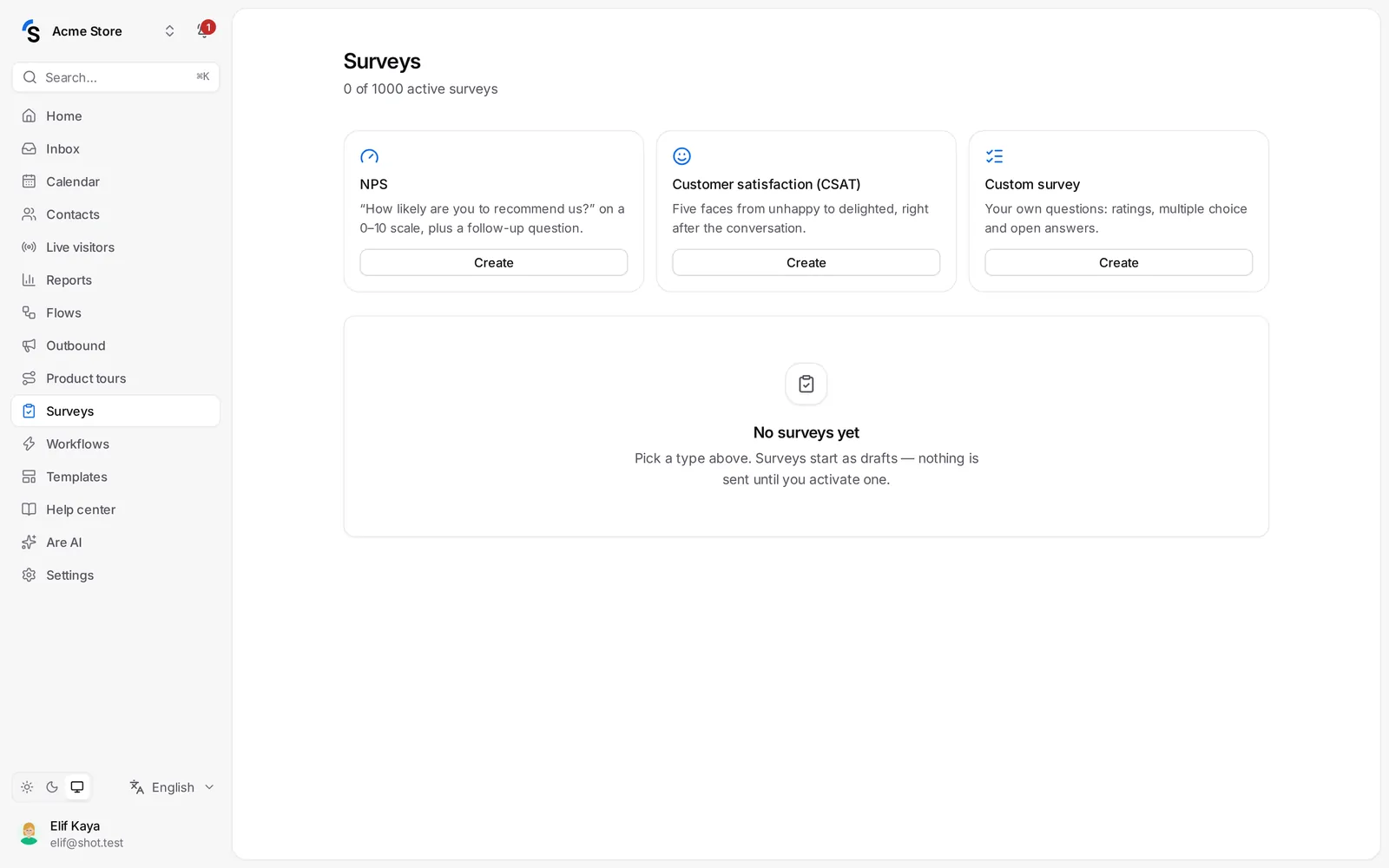
  • NPS & surveys (Surveys): after a conversation closes, customers rate you right in the Messenger or by email — NPS, satisfaction (CSAT) or your own questions. You can also share a survey as a link. See the NPS score, the score spread and every comment, and export them to CSV. Surveys, Zapier, Make & n8n, and drafts that survive going offline

  • Zapier, Make and n8n (Settings → Zapier, Make, n8n): send new conversations, customer messages, contacts and survey answers to thousands of apps, and create contacts, reply or tag from them. Developers can subscribe any URL through the REST API; every delivery is signed.

  • Template gallery (Templates): ready-made Messenger flows, automations and Are AI procedures in one place — after-hours replies, escalating waiting conversations, refund requests, order tracking, cart help and more.

  • Drafts that stay: unsent replies are kept on the web, in the desktop app and on the phone. If the connection drops, your reply waits and sends itself when you are back online.

  • Refer & earn (Settings → Refer & earn): invite another business and you both get more storage, flows and automations; more referrals unlock features. See how it works.

  • Features from bigger packages now show a PRO badge with a short overview instead of a dead end, and yearly prices show how much you save.

  • Desktop app 1.0.3 with safer links.

2.8

Search everything, watch Are AI live, and hide card numbers

NewImprovedSecurity
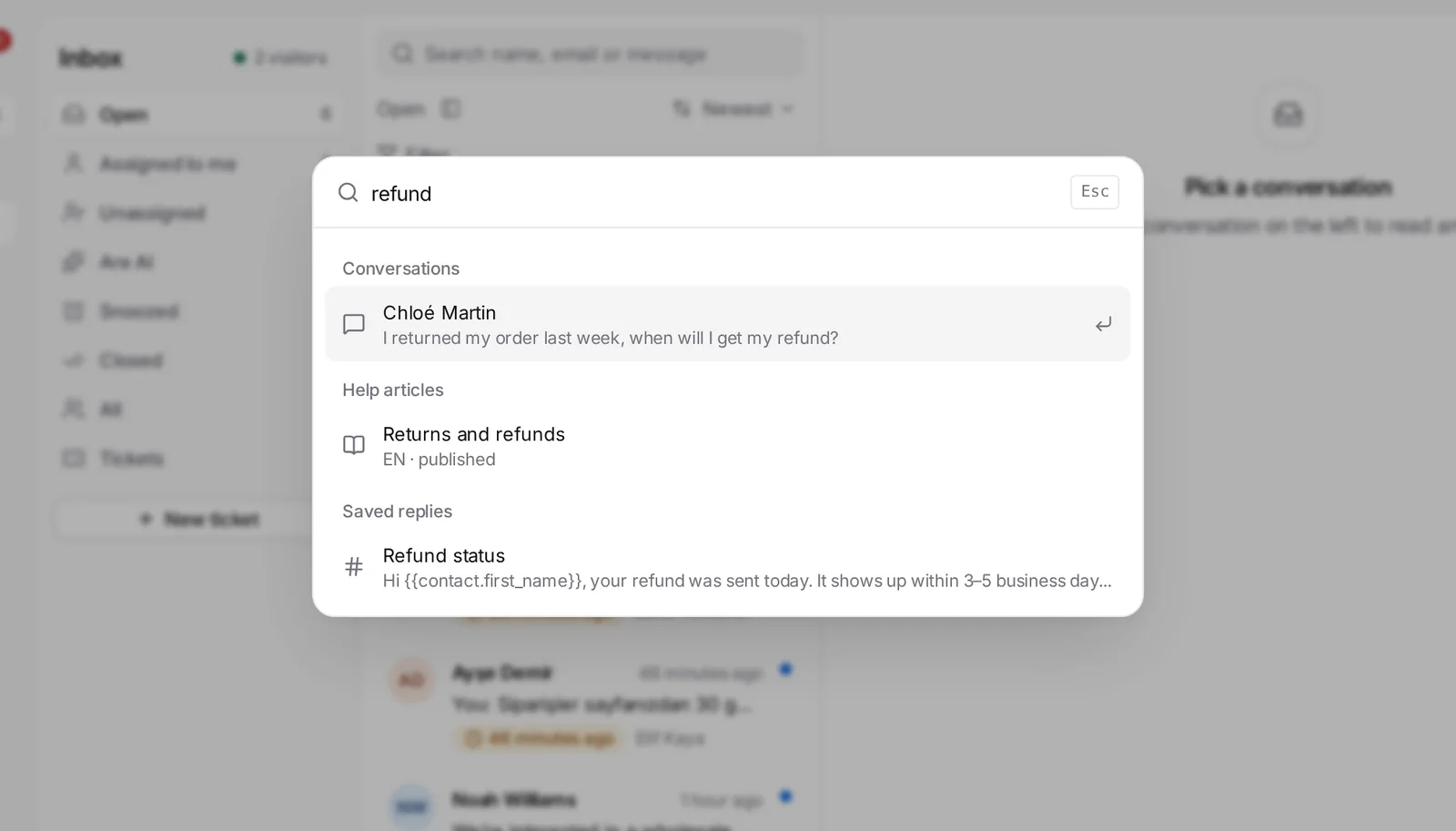
  • Global search (⌘K / Ctrl+K): conversations, including message text and ticket numbers, customers, companies, help articles, saved replies, flows, workflows, teammates, and every page and single setting. Picking a setting opens it and scrolls to it. Global search across conversations, articles and saved replies

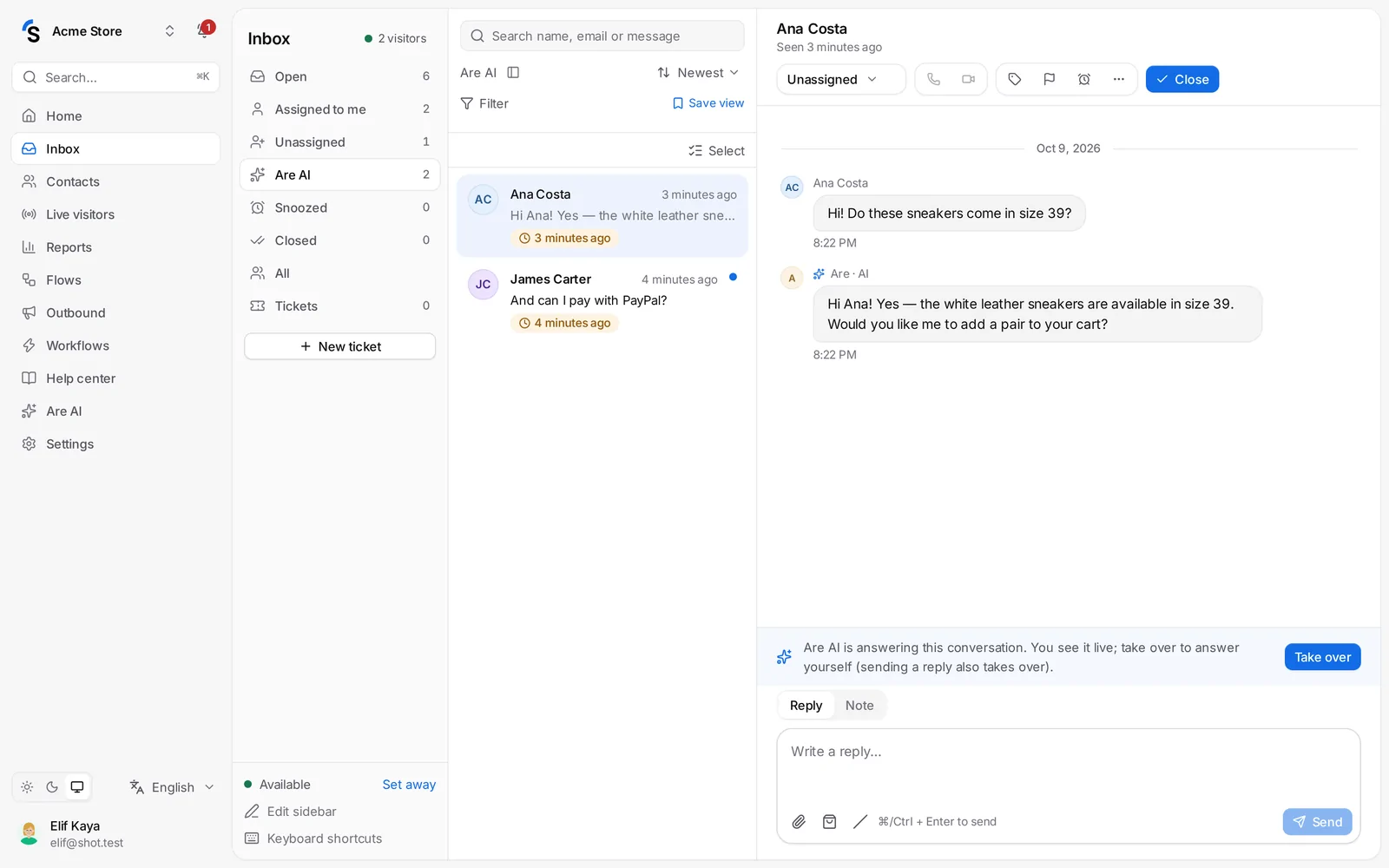
  • Are AI view in the inbox: see the conversations Are AI is answering right now, live, and take over with one click or simply by replying. The Are AI view with the take-over banner

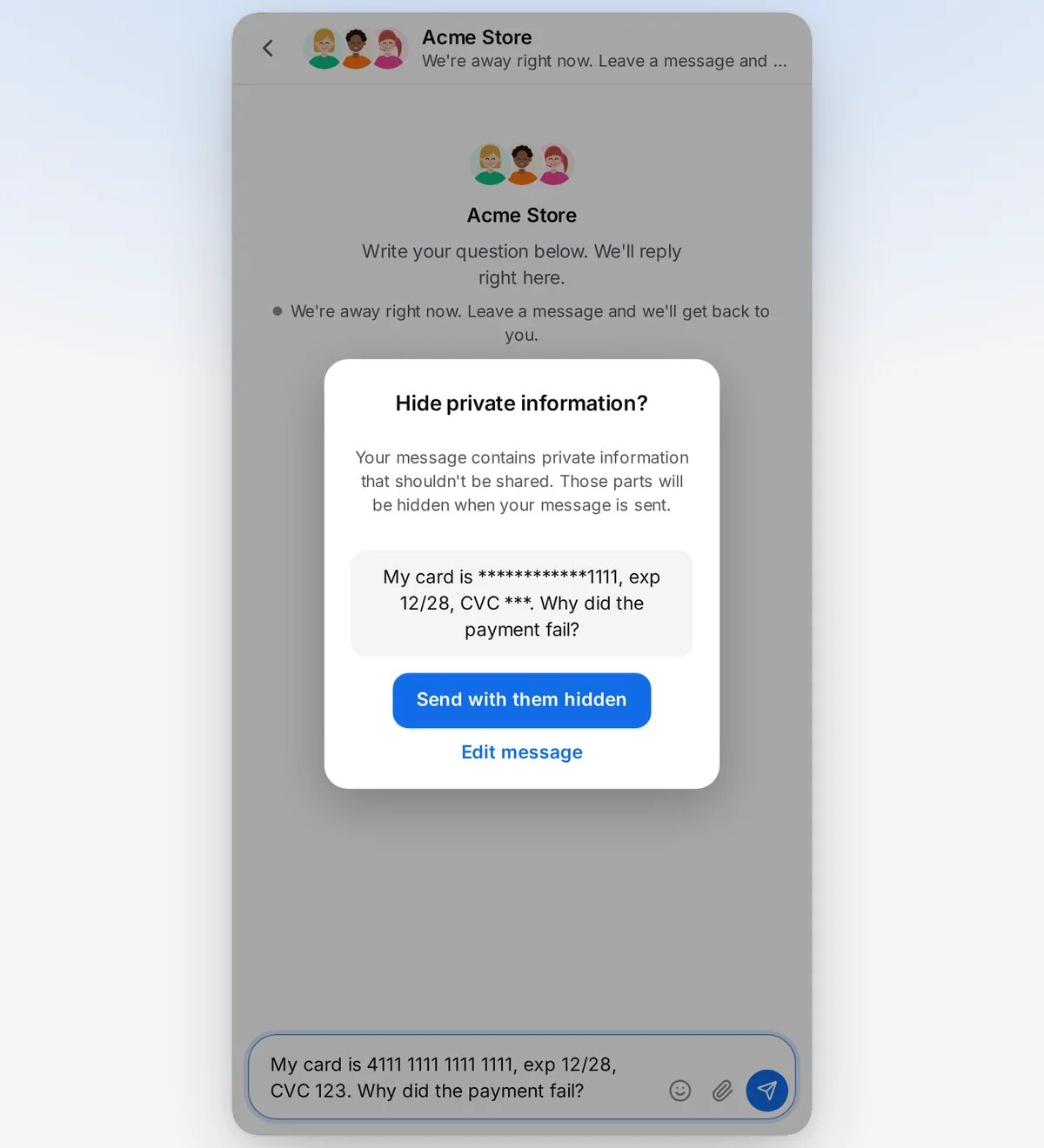
  • Hide card numbers and passwords (Settings → General): card numbers (all but the last 4 digits), security codes and passwords in customer messages are hidden before they are saved, so your team, Are AI, emails and exports never see them. The Messenger asks the customer first. The Messenger asks before sending private information

  • Edit the inbox sidebar: hide and reorder views, teams and saved views, just for you.

  • A “Leave without saving?” warning on editing pages.

  • Mobile: see what customers type as they type, messages always in order after reconnecting, and no notification for the conversation you have open.

2.7

Help center branding, profile illustrations and a direct chat link

NewImproved
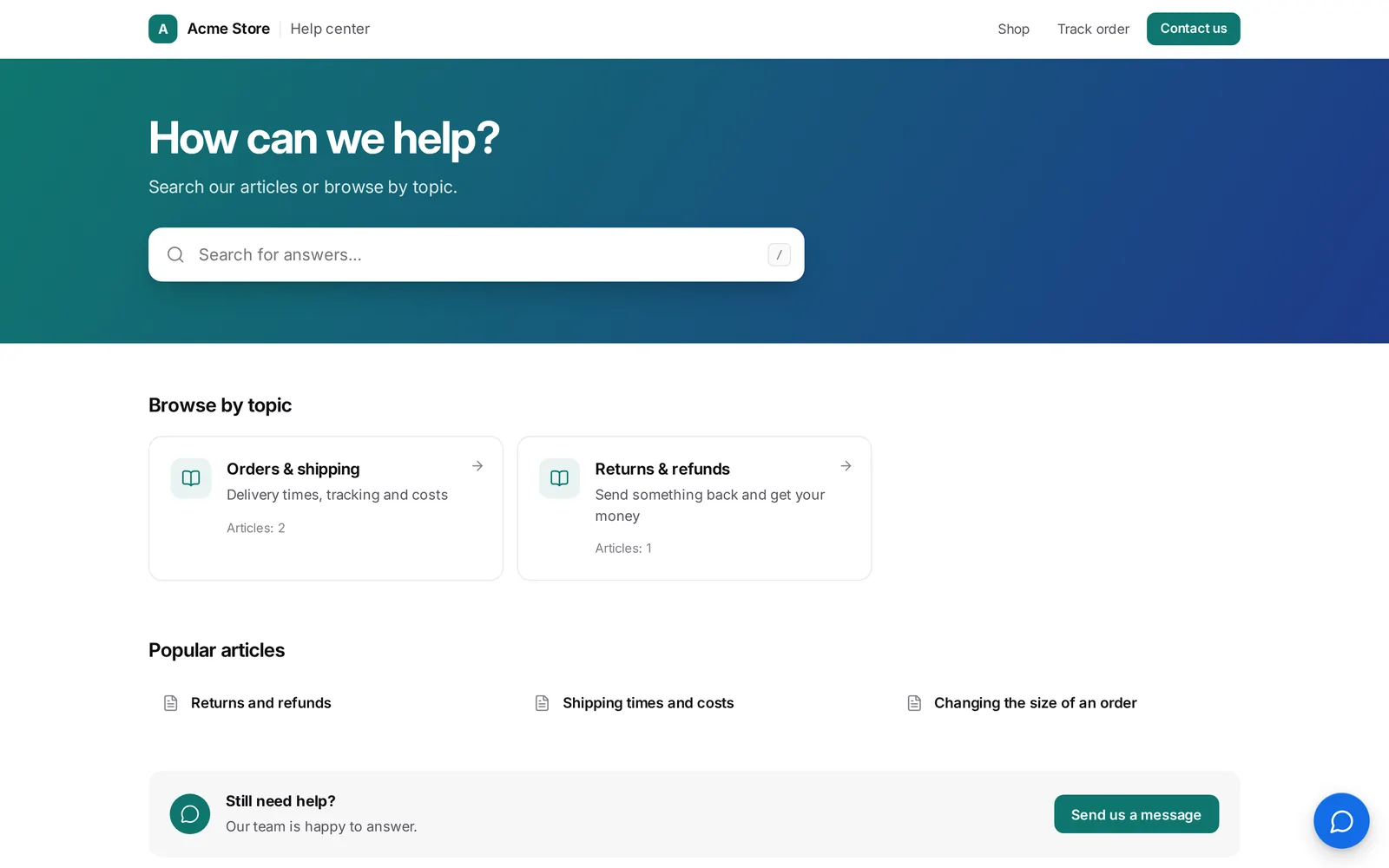
  • Help center appearance: Import your brand reads your website's colors, logo, favicon and font. Choose a theme, font, corners, a gradient or image header, header and footer links, and add custom CSS. A branded public help center

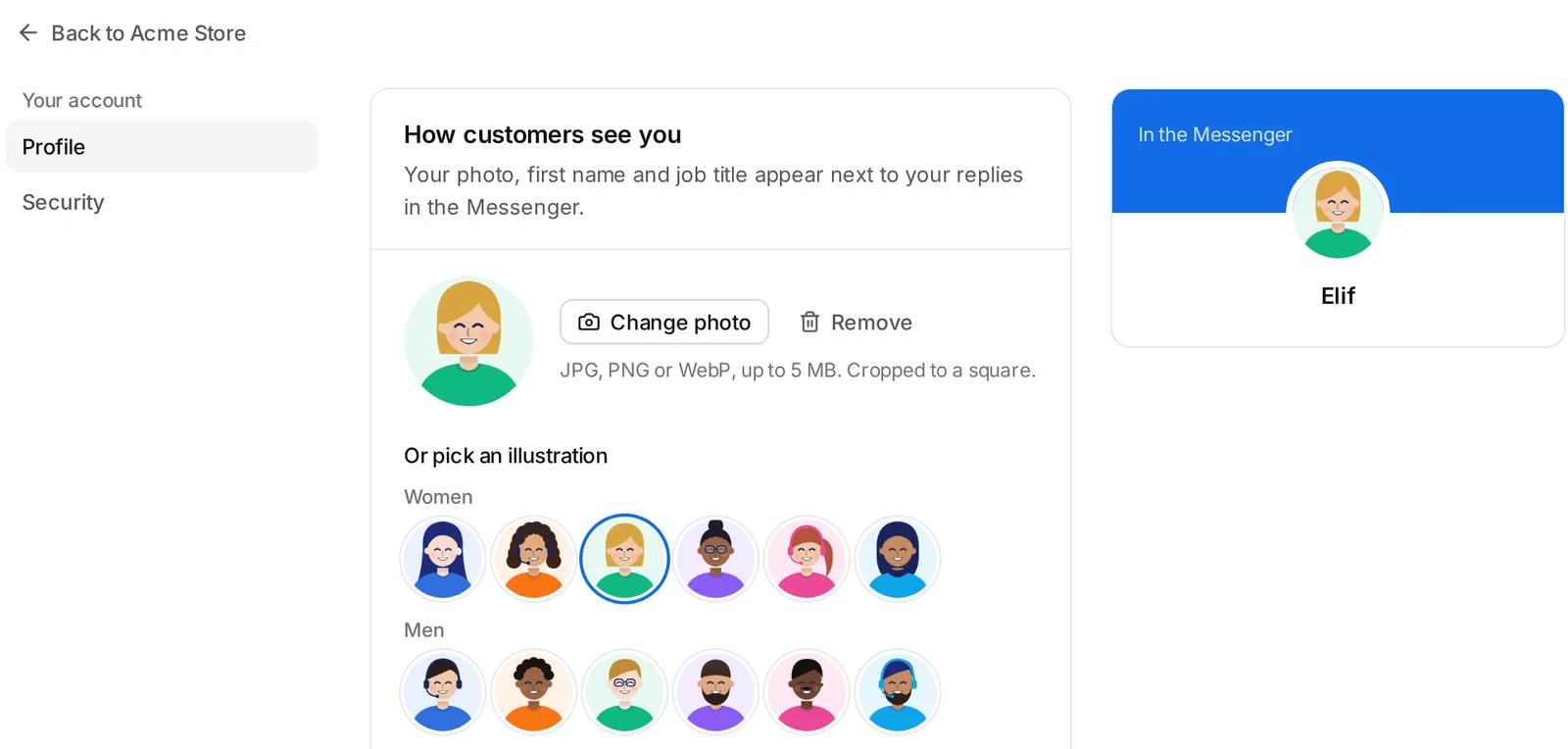
  • Profile illustrations: 12 ready-made pictures for teammates without a photo, a Set up your profile step, and an option to show one workspace icon to customers instead of personal photos. Pick an illustration in your profile

  • Direct chat link: a page with only your Messenger, at shopxare.com/chat/…, to share in emails, social profiles or QR codes.

  • ikas app: connect your ikas shop and the Messenger is added to every storefront. WordPress plugin 1.0.1 for the plugin directory.

  • Voice messages are stored and played as audio, also in the mobile app.

  • Messenger spaces and header brand, delete a message for everyone, and Help & support to reach the Shopxare team from the app.

2.6

Shopxare for Android, Mac and Windows

New

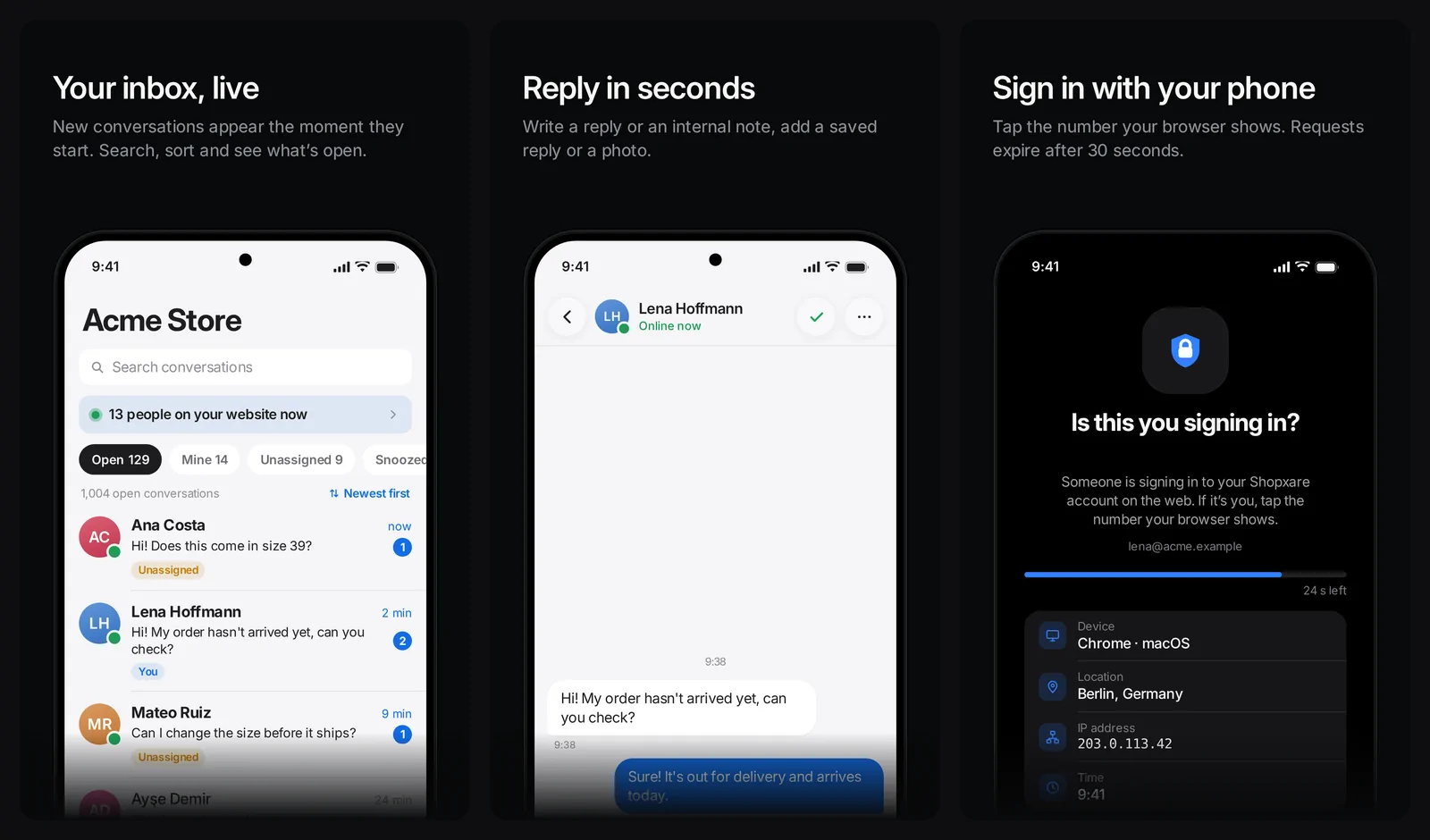
Shopxare Mobile is out on Google Play. Answer customers from anywhere, even away from your desk.

Shopxare Mobile: live inbox, conversation and sign-in approval

  • A live inbox with Open, Mine, Unassigned, Snoozed and Closed views, search and sorting.
  • Reply or write an internal note, use saved replies, send photos, assign, snooze or close with one tap.
  • Notifications you can answer, customer profiles and live visitors on your site.
  • Approve sign-ins from your phone: tap the number your browser shows.
  • The iPhone app is in App Store review and follows shortly.

Desktop apps for Mac and Windows (Intel, Apple silicon, x64 and ARM) with desktop notifications and automatic updates. Download them here.

2.5

Calls, Telegram, live translation and a public API

New
  • Voice and video calls from the inbox, with screen sharing. Customers answer right in the Messenger, no app needed.

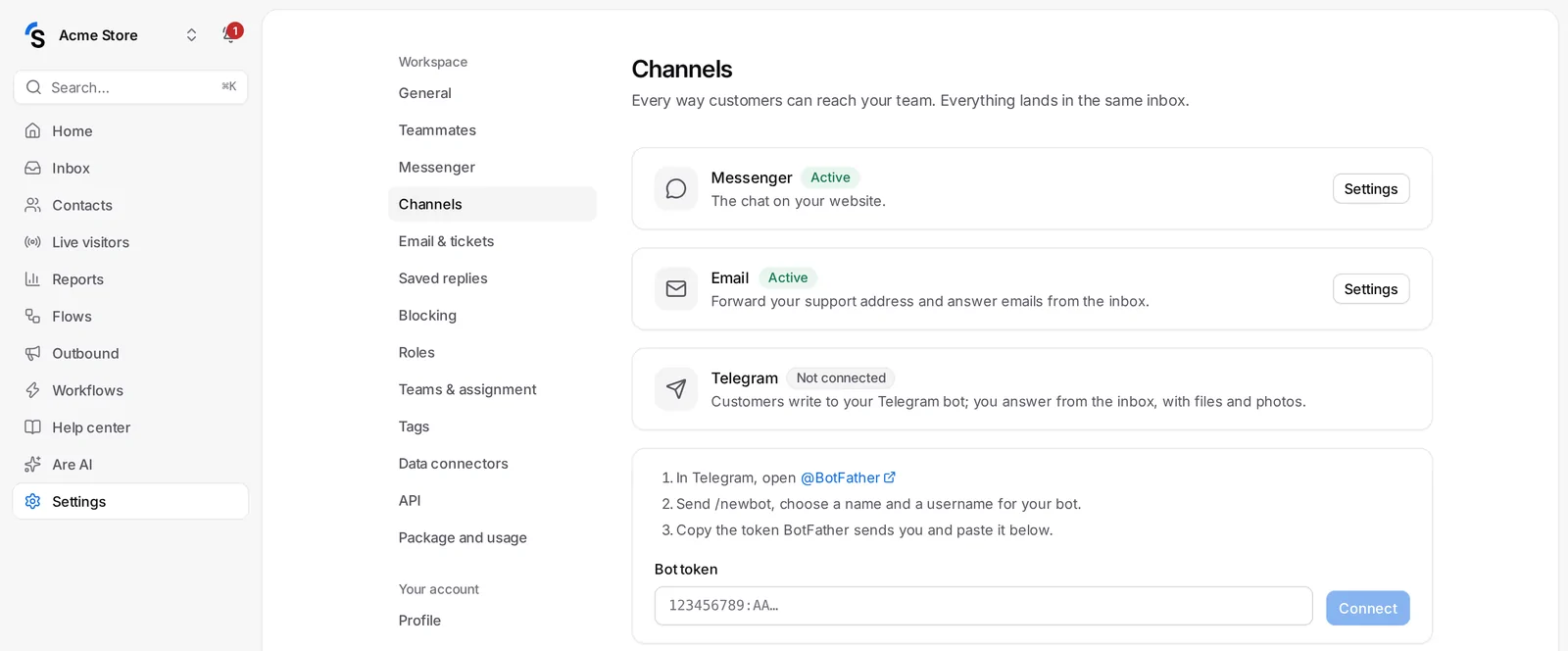
  • Telegram: connect your bot in Settings → Channels; messages, photos and files arrive in the same inbox. Settings → Channels with Messenger, Email and Telegram

  • Live translation: customer messages are translated into your language, and your replies are sent in theirs.

  • Mood and urgency detection moves upset customers up; knowledge gaps list the questions Are AI could not answer.

  • Continue a chat on the phone with a QR link, and show order and product cards from your shop.

  • REST API v1 with scoped tokens and OpenAPI documentation, for your own tools and integrations.

2.4

Tickets, email and a smarter inbox

New
  • Email channel: forward your support address and every email becomes a ticket, with threading and spam protection.
  • Tickets with numbers, types and states; turn any chat into a ticket.
  • Assignment rules, teams, office hours and reply targets (SLA).
  • Saved replies with variables, tags, saved views, @mentions and push notifications.
  • Contacts, companies, segments, events and CSV import and export.
2.3

Live chat, from the first message

New
  • Messenger for any website: files, images, voice messages, emoji, a pre-chat form and ratings after a conversation.
  • Real-time inbox with typing indicators, read receipts and "who is viewing", so nobody answers twice.
  • Teams, roles and invitations, two-step login, and the app in seven languages.
2.2

Help center, Flows, workflows and reports

New
  • Help center in up to 39 languages, searchable inside the Messenger.
  • Flows: button-based conversations that greet visitors and collect details.
  • Workflows that assign, tag, prioritise, reply or call a webhook.
  • Banners, news and proactive chats with page rules.
  • Reports: response and resolution times, satisfaction, busiest hours and team performance.
2.1

A new Messenger, plugins and safer sign-in

NewImprovedSecurity
  • Redesigned Messenger with Home, Messages and Help tabs, and a language menu for visitors.
  • WordPress and WooCommerce plugin with one-click connect, and a Shopify snippet.
  • Branded error pages in every language.
  • Rate limits on sign-up and password reset; answers no longer reveal whether an email has an account.
2.0

Are AI and Copilot

New
  • Are AI answers in the Messenger from your own knowledge — help center, websites, files and short answers — and shows its sources.
  • It hands over to your team when asked, on sensitive topics or when it is not sure.
  • Copilot drafts replies, summarises and translates in the inbox.
  • Use Shopxare AI or bring your own OpenAI, Google Gemini or Anthropic key.
1.9

Billing without leaving Shopxare

New
  • Subscribe, change your card and buy AI credit on your billing page, with 3-D Secure when your bank asks for it.
  • Renewals, retries and cancellation at the end of the period are handled by Stripe.
1.8

A new website, a live Messenger editor and a public status page

NewImproved
  • Settings → Messenger shows the real Messenger in a live preview, with new options: header style, corners, logo, launcher size, color, text and position, quick links and hiding on phones.
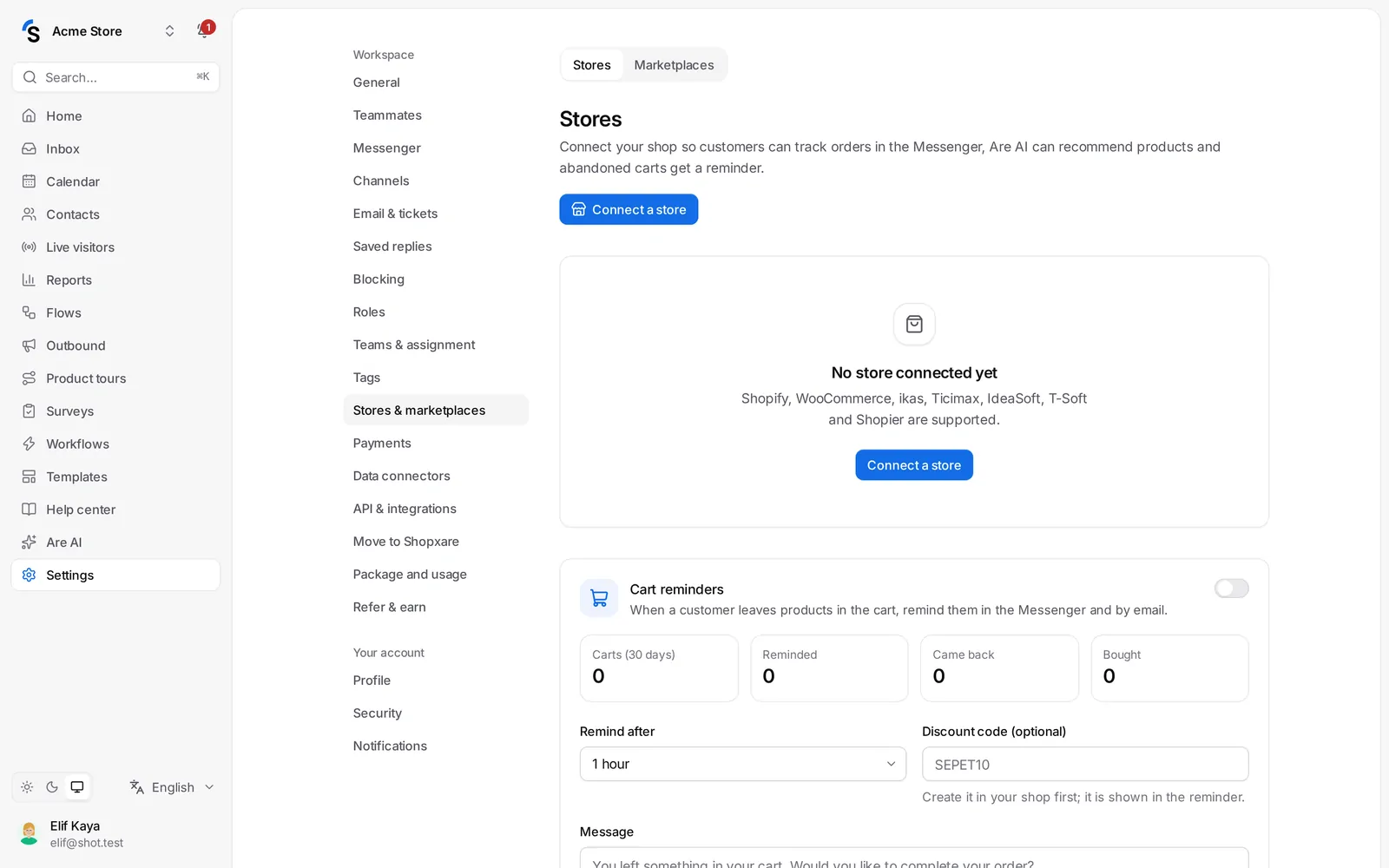
  • A public status page that checks every part of Shopxare once a minute, with incident updates.
  • A new website with a page for every product area, this changelog and its RSS feed.
  • Searchable dropdowns everywhere, a cleaner help center, and the AI agent is now called Are AI.