
Banners and messages
Reach visitors first — banners, pop-ups with a discount code, Messenger posts, proactive chats and product tours.
Go to Outbound. Pick a type to create a message; every message starts as a draft.
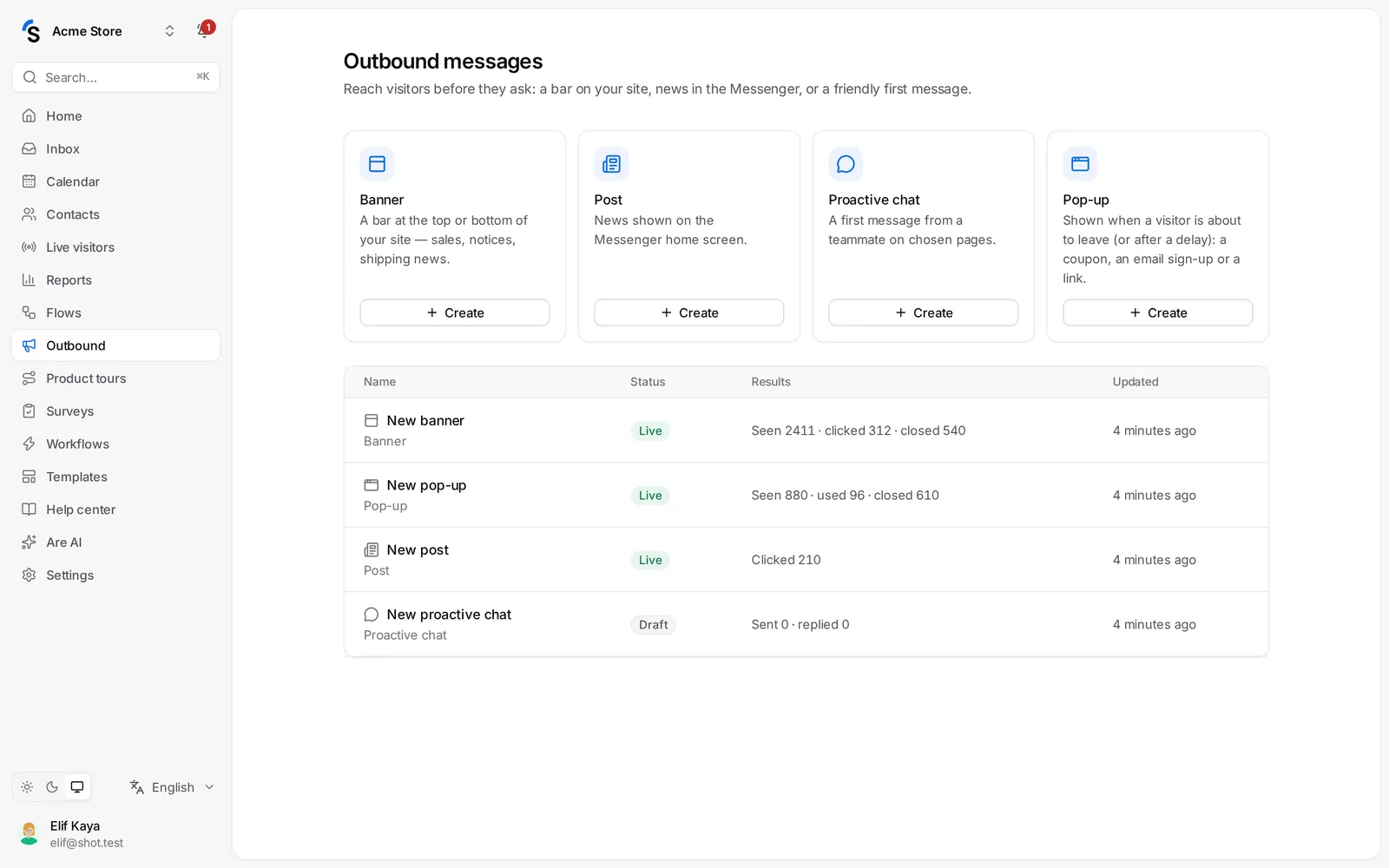
Message types
- Banner — a bar at the top or bottom of your site: sales, notices, shipping times. Add a Button text and Button link, choose the Position and whether Visitors can close it.
- Pop-up — shown When the visitor is about to leave or After a delay. Turn on Ask for the email to collect it on the contact, and add a Discount code (create it in your shop first) that is shown after the email.
- Post — news on the Messenger home screen, with a Title, Text and an optional wide image. See The Messenger home.
- Proactive chat — a first message From a chosen teammate on chosen pages. It stays out of the inbox until the visitor replies; then it is assigned to the sender.
- Product tour — guide people through your site step by step. See Product tours.
Create a message
- Click the type under Create.
- Write the Message in your default language, and add translations — empty ones show the default language.
- Under Who and when, choose the audience or a segment, the pages, Show after (seconds on the page), and Starts / Ends dates.
- Click Go live. Pause it at any time.
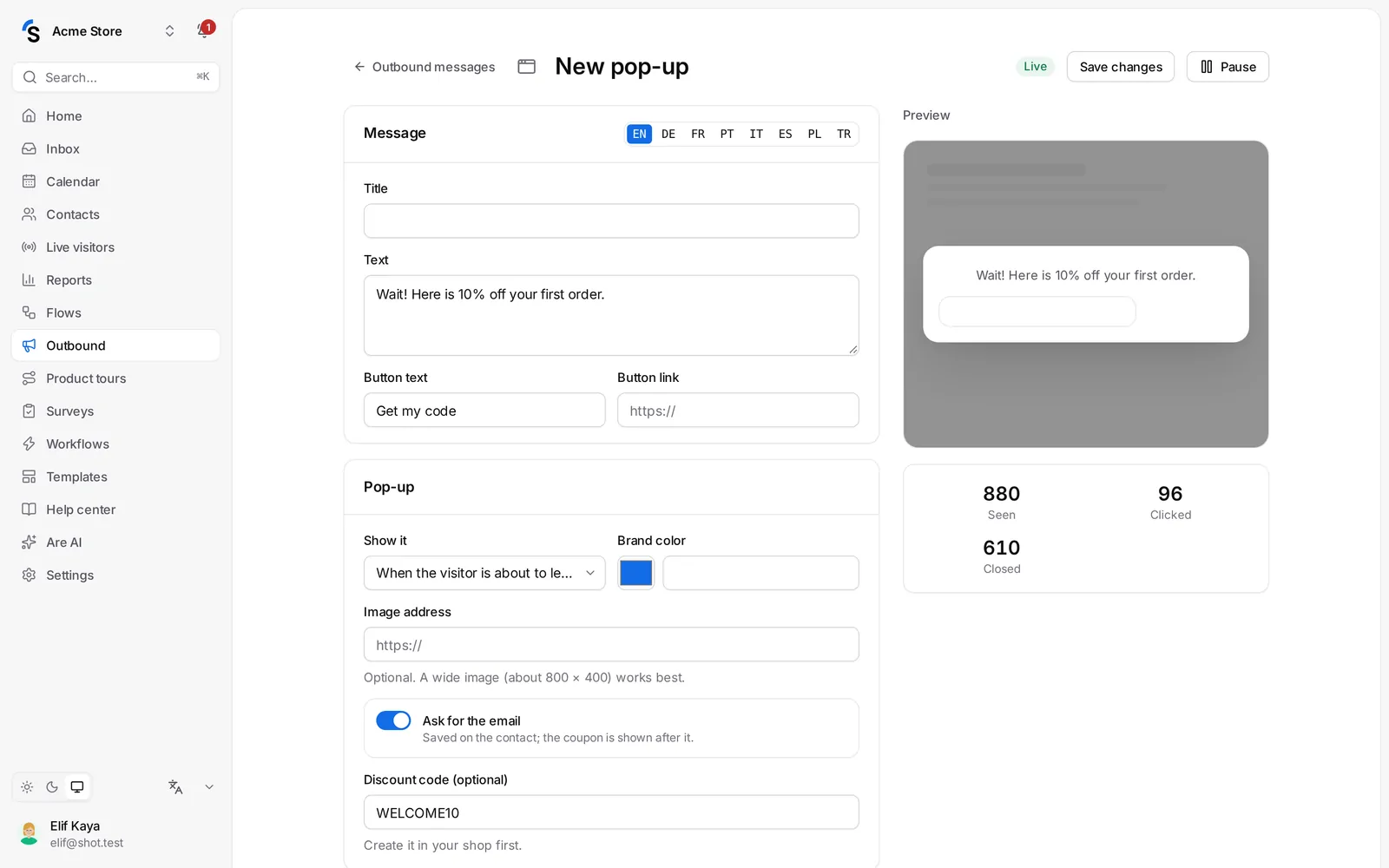
Results
Each message shows Seen, Clicked, Closed and Replied — each person counted once. Pop-ups show how often the code was used.
Still stuck? Contact