
Surveys
Ask customers how you did — NPS, satisfaction (CSAT) or your own questions — in the Messenger, by email or with a link.
Go to Surveys. Pick a type to start; every survey starts as a draft, and nothing is sent until you activate it.
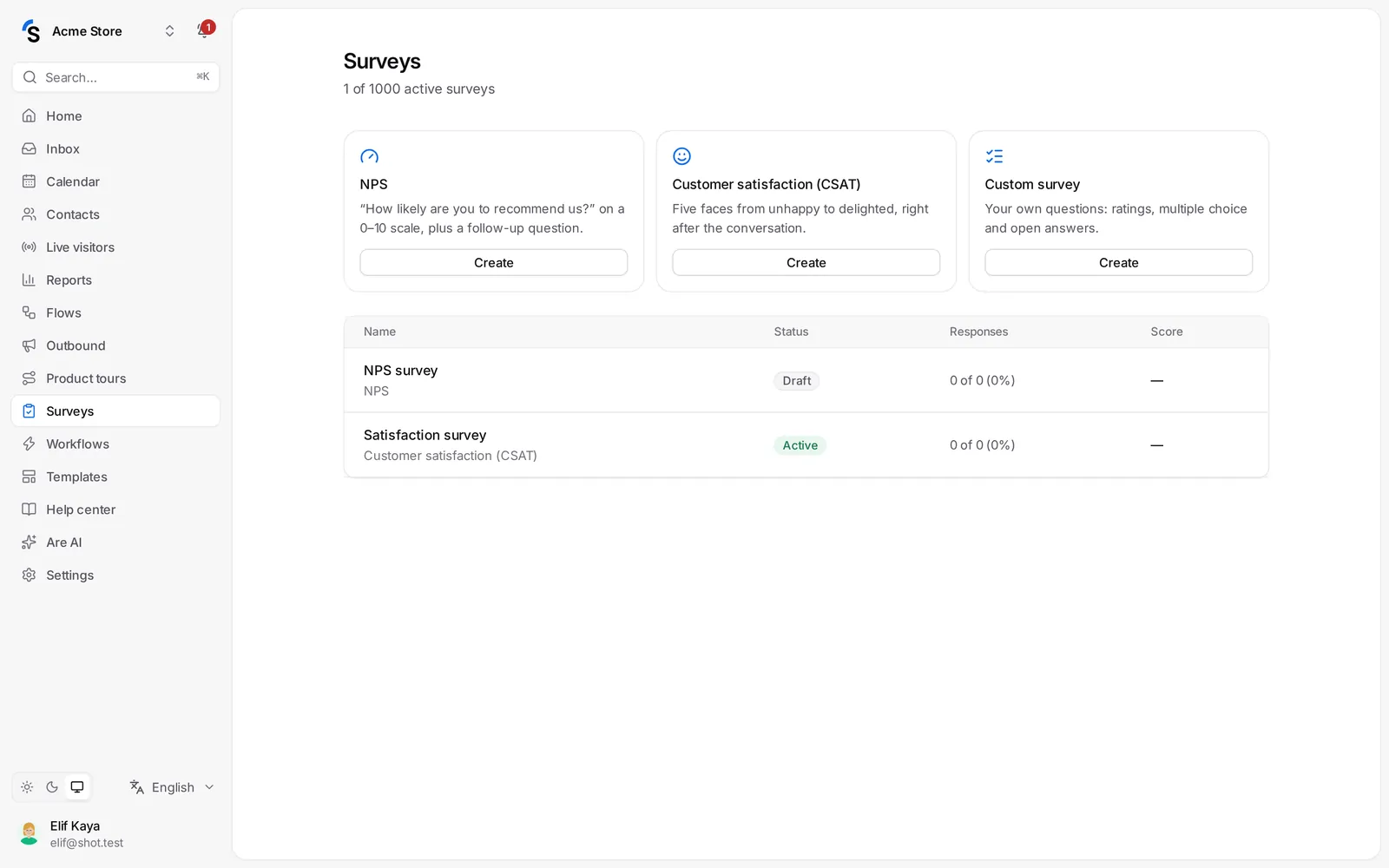
Survey types
- NPS — How likely are you to recommend us? on a 0–10 scale, plus a follow-up question.
- Customer satisfaction (CSAT) — five faces from unhappy to delighted, right after the conversation.
- Custom survey — your own questions: ratings, multiple choice and open answers.
Create a survey
- Click Create under the type you want. The survey opens with suggested questions.
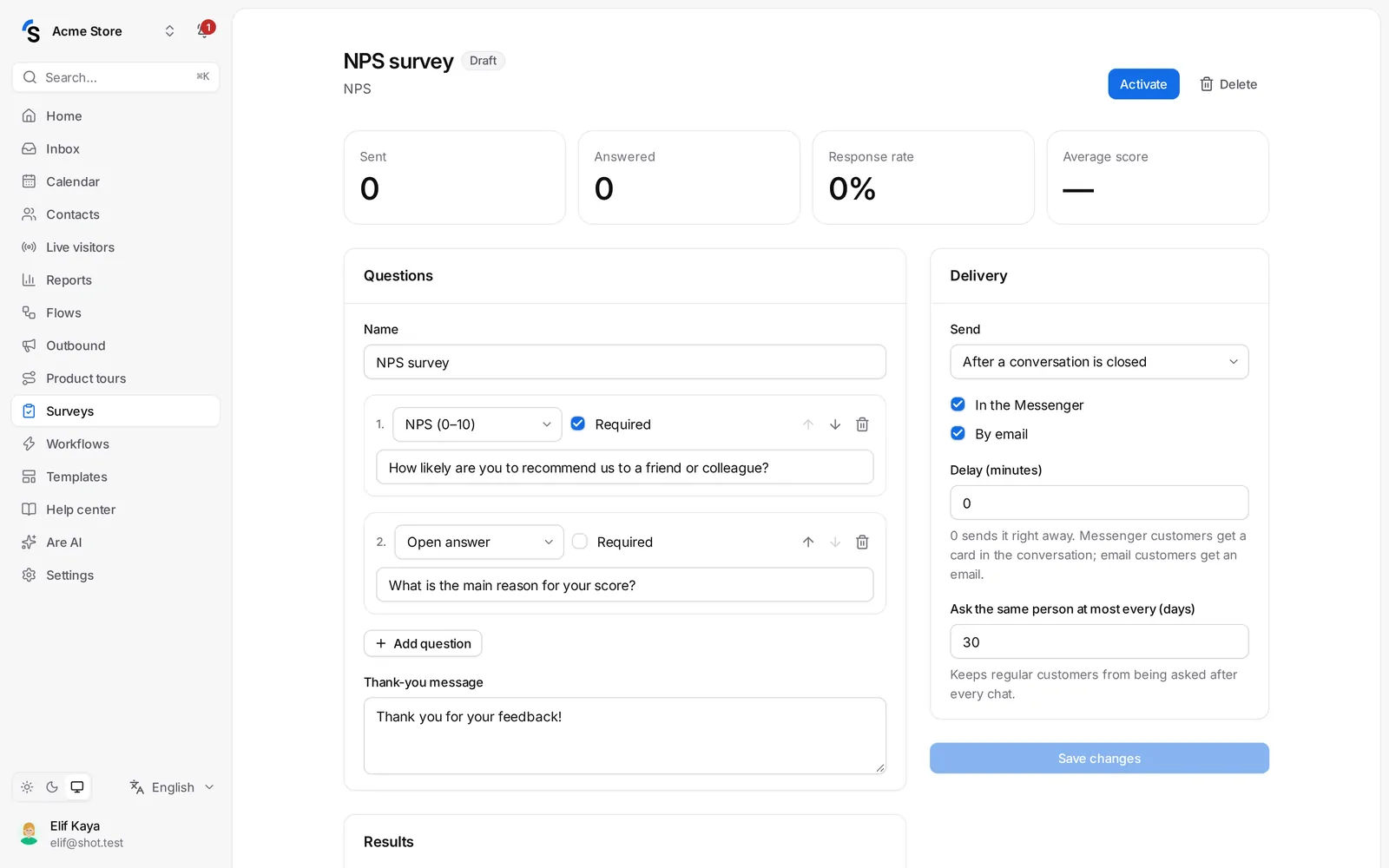
- Under Questions, change the texts, add questions with Add question, choose each Question type — NPS (0–10), Faces (1–5), Stars (1–5), Multiple choice or Open answer — and mark questions Required. Use the arrows to change the order.
- Write the Thank-you message.
- Under Delivery, choose when it is sent:
- After a conversation is closed — with a Delay (minutes); 0 sends it right away. Messenger customers get a card in the conversation; email customers get an email.
- Only via a shareable link — send the link yourself, for example in a newsletter.
- Ask the same person at most every (days) keeps regular customers from being asked after every chat.
- Click Activate.
Results
Open a survey to see Sent, Answered, the Response rate and the Average score, the Score distribution and every answer. Click Export CSV to download the answers. Pause stops sending without losing the results.
The shareable link
Every active survey has a public link that anyone can answer, without signing in. Use it on receipts, in emails or as a QR code.
How many surveys can be active at once depends on your package.
Still stuck? Contact