
Live visitors and website analytics
Who is on your website right now, and how many visits, pages and sources you had — without an extra script.
The Messenger also counts visits to your website — no extra script and no cookies are needed.
Live visitors
At the top of the inbox you see how many people are on your site right now. Click it, or open Live visitors in the menu.
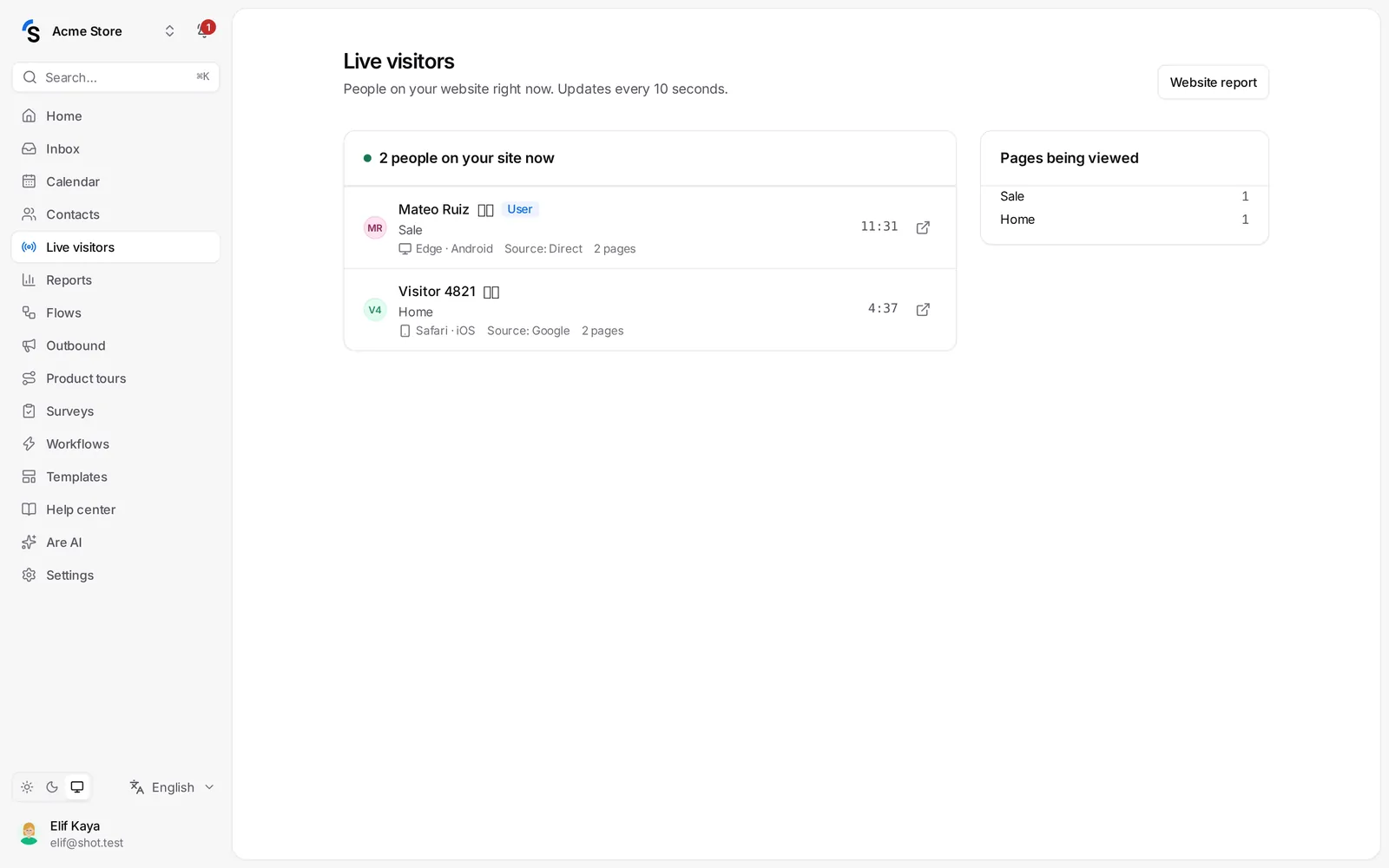
For each visitor you see the page they are on, how many pages they have seen, where they came from, their country, device and browser. Pages being viewed shows the most visited pages at this moment. The list updates by itself every few seconds; click Open the page to see what they see.
Want to help someone who seems stuck? Send a proactive chat to that page.
Website report
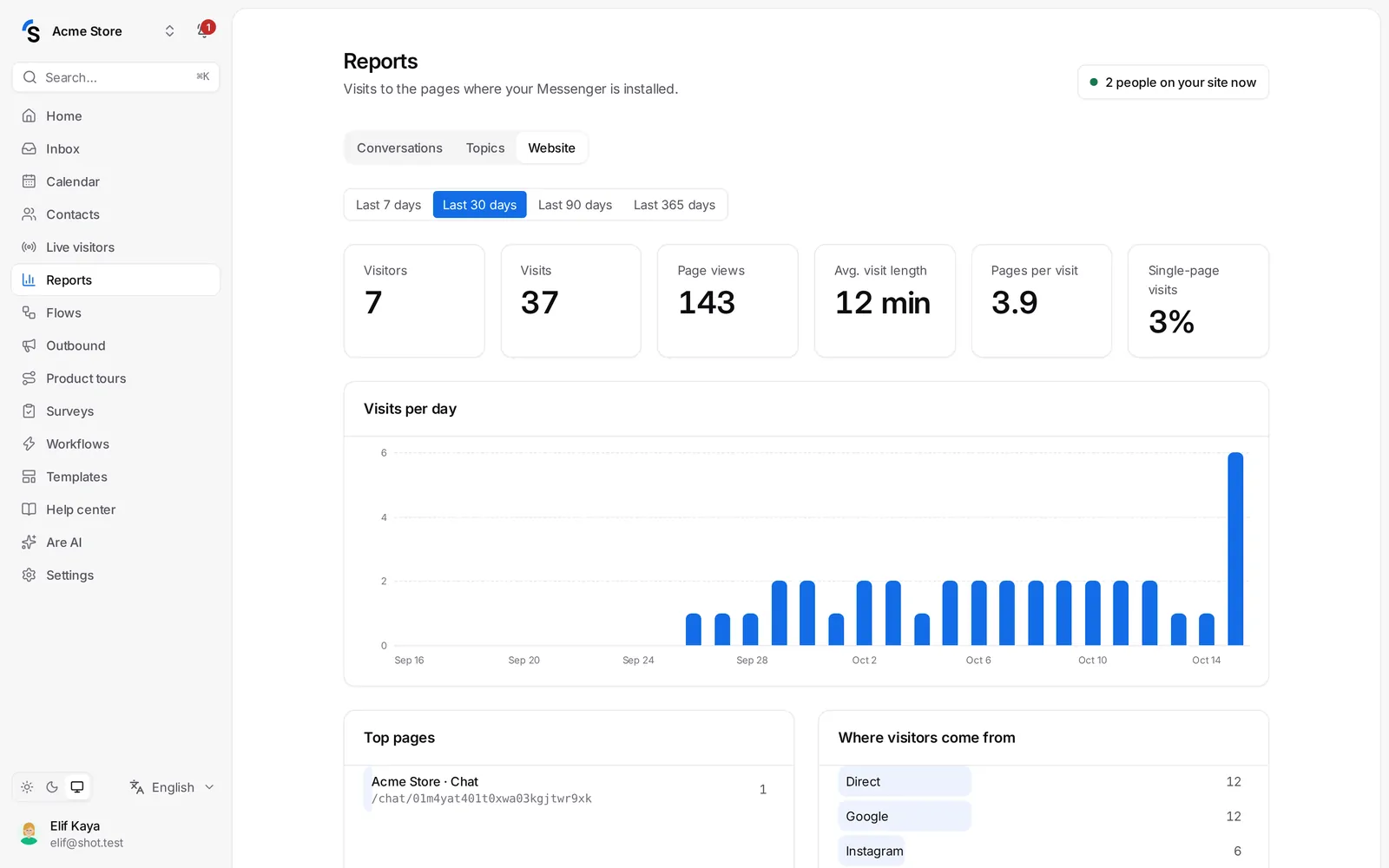
Go to Reports → Website for the period you choose:
- Visitors, Visits, Page views, Pages per visit, Avg. visit length and Single-page visits,
- Visits per day,
- Top pages,
- Where visitors come from — search, social, other websites, Direct and campaigns,
- Countries, Devices and Browsers.
How it counts
- A visit ends after 30 minutes without activity.
- A page view is counted each time the address changes, also in single-page apps.
- A visitor is live if their page was open in the last minute or so.
- Campaign tags (
utm_source,utm_medium,utm_campaign) are read from the address. - Data older than about 400 days is deleted.
Turn it off
Go to Settings → Messenger → Features and switch off Visitor analytics. If you use it, mention it in your website's privacy notice.
Still stuck? Contact