
Templates
Ready-made Messenger flows, automations and AI procedures to start from — for support, e-commerce, sales and feedback.
Don't start from an empty page. The template gallery has ready-made flows, workflows and Are AI procedures for common situations.
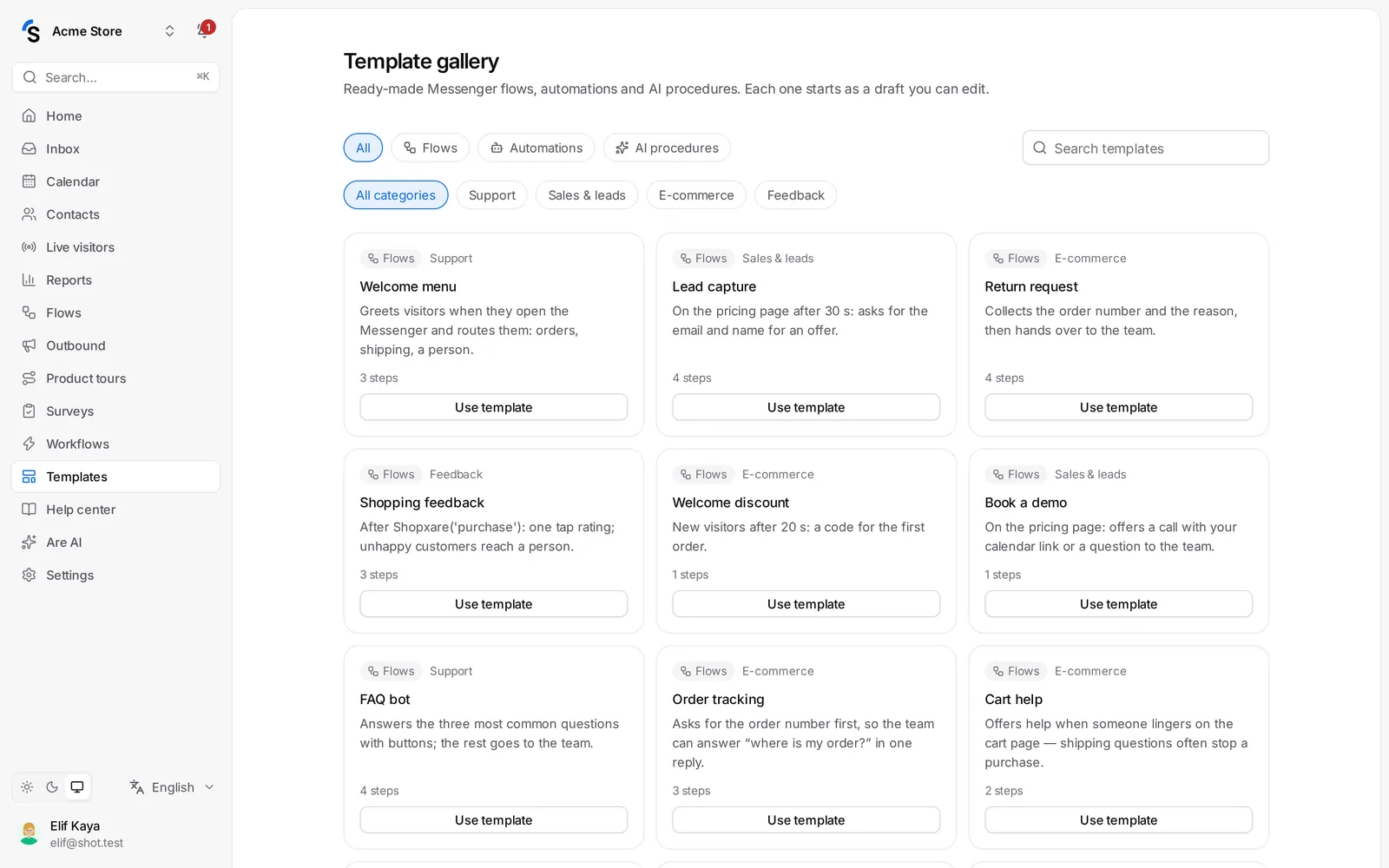
Use a template
- Go to Templates in the menu.
- Filter by type — Flows, Automations or AI procedures — and by category: Support, E-commerce, Sales & leads or Feedback. Or use Search templates.
- Open a template to see its steps, and click Use template.
- It is added as a draft. Check the texts — your shop name, links, times — then go live.
You also find templates when you create a new flow, workflow or procedure.
Examples
- Flows — order tracking, a pricing-page greeting, lead qualification, a returns assistant.
- Automations — tag and route by page, remind the team about waiting customers, close spam.
- AI procedures — return or exchange, address change, order cancellation, warranty claim.
Templates are written in your workspace language. They are only a start: change anything you like.
Still stuck? Contact