 Shopxare Team
Short answer: an AI chatbot should hand the conversation to a person the first time the customer asks for one, after two answers in a row that don't help, when it isn't sure or the answer isn't in its knowledge, and whenever money, a complaint, a file or an exception to your policy is involved. Tell the customer who takes over and when, and give your agent a short note so the customer never has to repeat the question. Outside office hours, collect an email and promise a time you can keep.
Most guides on this topic stop at "make the handoff smooth". Below are the exact triggers for an online store, eight messages you can paste into your setup, the note format your team should get, and a test sheet to run before the AI talks to real customers.
Why the handoff decides whether customers accept your AI
In a Gartner survey of 5,728 customers (December 2023, published July 2024), 64% said they would prefer companies didn't use AI in customer service, and 53% would consider switching to a competitor over it. The concern customers named first was that AI makes it harder to reach a person.
So the handoff is not an edge case. It is the part of your AI setup customers judge you on. A bot that answers most questions well and traps the rest in a loop leaves a worse impression than no bot.
There is also a legal side in the EU: from 2 August 2026, Article 50 of the AI Act requires that people are told when they are talking to an AI system. A clear "I'm the store's AI assistant" in the first message covers that, and it makes the later handoff feel natural.

The 7 handoff triggers for an online store
| # | Trigger | Example in a store | Rule |
|---|---|---|---|
| 1 | Customer asks for a person | "Can I talk to someone?", "human", "agent" | Hand over at the first ask. Never make them ask twice |
| 2 | Two answers in a row miss | Customer repeats the question or says "that's not what I asked" | Hand over after the second miss, not the fifth |
| 3 | AI isn't sure, or the answer isn't in its knowledge | "Do you ship to the Isle of Man?" and your shipping page doesn't say | Hand over instead of guessing |
| 4 | Complaint or upset customer | "This is the third time I'm writing", capital letters, threats to post a review | Hand over immediately, no more AI troubleshooting |
| 5 | Money and exceptions | Refund outside the return window, price match, chargeback, cancel after dispatch | Always a person. The AI can collect the order number first |
| 6 | Customer sends a file | Photo of a damaged parcel, a screenshot of an error | Hand over. A person needs to look at it |
| 7 | High-value or sensitive topic | Wholesale quote, allergy or safety question, data deletion request | Put these topics on an "always hand over" list |
My opinion on trigger 2: two misses is the right number for a store. One miss can be a typo or a vague question, and a rephrase often fixes it. By the third, the customer has decided your AI is useless, and the agent starts with an annoyed person.
Things you should not use as triggers: conversation length alone (a long chat about sizes can be going well) and single keywords like "refund" (most refund questions are "how do I return this?", which your AI can answer from your returns policy).
What the customer should read when the AI hands over
Three rules for every handoff message:
- Say it plainly. "I'm passing this to our team" beats "Let me see what I can do".
- Say when. A time range during office hours, a specific next working day outside them.
- Say they don't need to repeat anything. Then make sure it's true.
8 handoff messages to copy
1. Customer asked for a person (office hours)
Of course. I'm passing you to our team now. Someone usually replies within a few minutes, and they'll see everything you've written, so there's no need to repeat it.
2. Customer asked for a person (outside office hours)
Our team is offline right now. We're back on Monday at 9:00. Leave your email here and they'll reply first thing, with this conversation in front of them.
3. The AI isn't sure
I don't want to guess on this one. I've passed your question to our team, and a person will answer here. If you leave the chat, the reply will also go to your email.
4. Complaint or upset customer
I'm sorry this has happened. I've passed your conversation to our team with your order number, and a person will take it from here.
5. Customer sent a photo
Thanks for the photo. A person from our team needs to look at this, so I've passed it on with your order details. You'll hear from them here.
6. Refund or exception request
Refunds outside the return window are decided by our team, not by me. I've sent them your order number and what you asked for, and they'll reply today before 18:00.
7. Wholesale or quote
Bulk orders get a personal quote. I've passed your request to our sales team with the quantities you mentioned. They'll reply by email within one working day.
8. Agent's first message after the handoff
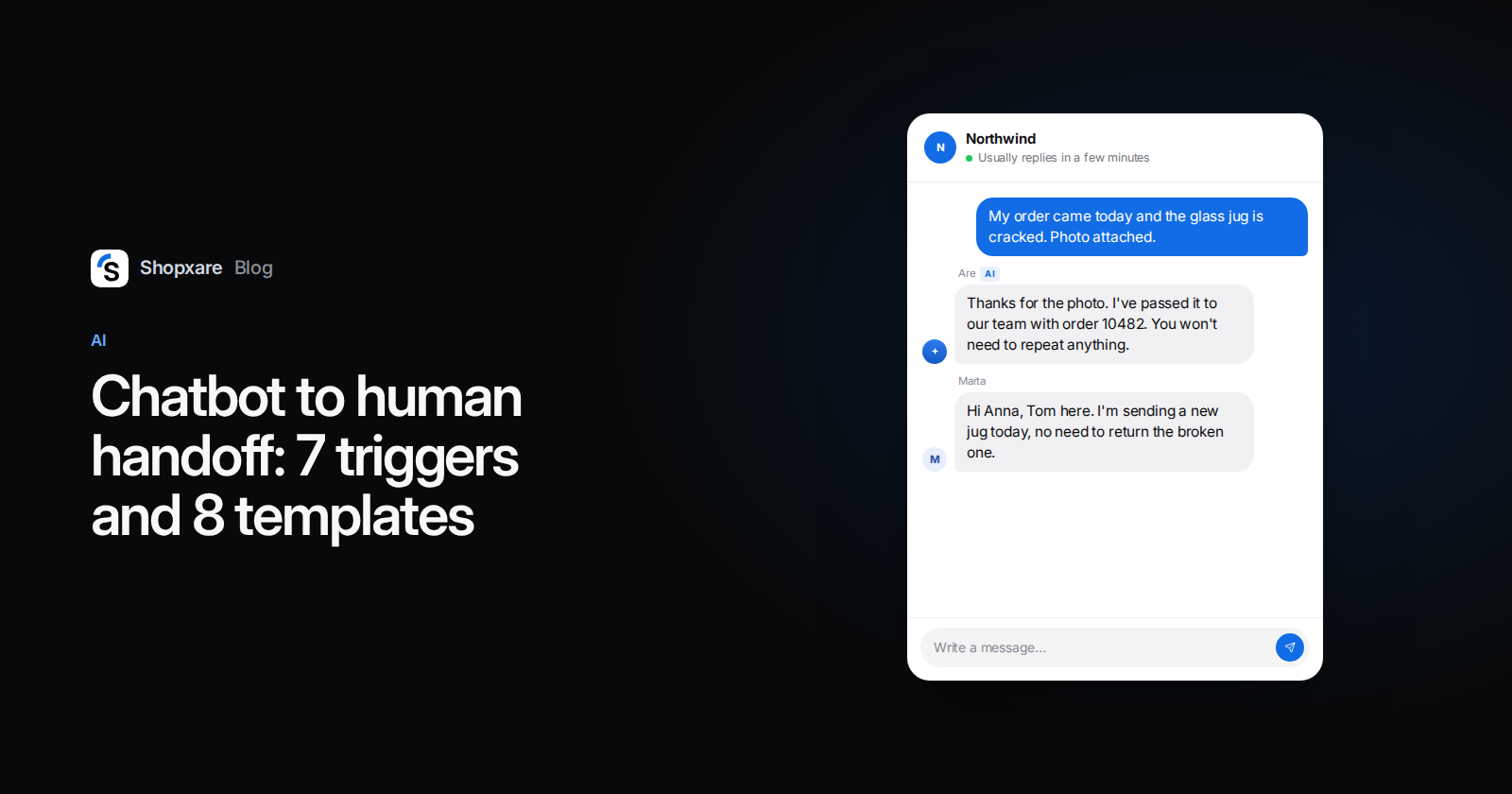
Hi Anna, I'm Tom from the team. I've read the chat: the blender from order 10482 arrived with a cracked jug. I'm sending a replacement today, and you don't need to return the broken one.
Template 8 matters most. The first human message should move the case forward. "Hi, how can I help?" after a handoff tells the customer nobody read anything.
Change the times in templates 2, 6 and 7 to match your real reply targets. A promise you break is worse than a slower one you keep.
The note your agent needs
When a conversation lands in the inbox, the agent should understand it in 15 seconds. Ask your team to check that every handed-over chat shows this, either from the AI or from the conversation itself:
Reason for handoff: customer sent a photo (damaged item)
Order: #10482, delivered 12 Nov
Customer asked: replacement or refund for cracked blender jug
AI already said: returns policy, 30 days, free return label
Customer mood: calm / annoyed / angry
Next step expected: decision on replacement
If your tool shows the reason for the handoff and the full conversation, that's most of it. The order details are the part that's often missing. Connect your store so the agent sees the order next to the chat instead of asking for the number again.
Example: one handoff, start to finish
A kitchenware store, Thursday 14:20. A customer writes: "My order came today and the glass jug is cracked." The AI asks for the order number, finds order 10482 as delivered, and the customer uploads a photo. The photo is trigger 6. The AI sends template 5. The conversation goes to the team with the reason "file sent" and the order shown next to it. Tom reads it, opens the photo and sends template 8. Total human time: about two minutes. The customer typed the problem once.
How to set this up in Shopxare
If you use Shopxare, Are AI already hands over when the customer asks for a person, when the customer is upset or the topic is sensitive, when it isn't sure enough or the answer isn't in its knowledge, and when the customer sends a file. The reason shows in the conversation. After a real answer, customers also see a "Talk to a person" button.
- In Are AI → Settings, add your trigger 5 and 7 topics to Always hand over these topics (for example: refunds outside the return window, wholesale, allergies).
- Under When, choose Always or Only outside office hours. The second option is good for a small team that wants the AI only at night and on weekends.
- Use Rules for the AI for short handoff rules in your own words, like "If the customer mentions a chargeback, hand over."
- Set your office hours and routing in Teams and assignment, so handed-over chats reach the right person.
- Connect your shop in Stores and orders, so the order appears next to the chat.
- Your team can step in at any time with Take over, and Are AI → Overview shows how many conversations were handed to the team.
Test it before launch: 12 cases
Run each case in the Messenger as a customer would. Pass means the right thing happened and the customer would not need to repeat anything.
| # | What you type | Expected |
|---|---|---|
| 1 | "Can I speak to a human?" | Handoff at once, template 1 or 2 |
| 2 | "agent" (one word) | Handoff at once |
| 3 | A question your help pages don't answer | Handoff, no invented answer |
| 4 | The same question twice, worded differently | Handoff after the second miss |
| 5 | "This is ridiculous, third time I'm asking" | Handoff, apology, no more troubleshooting |
| 6 | Upload a photo | Handoff with reason "file" |
| 7 | "I want a refund, I bought it 45 days ago" | Handoff (outside return window) |
| 8 | "How do I return something?" | No handoff, AI answers from the policy |
| 9 | "Do you do wholesale prices?" | Handoff to sales |
| 10 | Ask for a person at 23:00 | After-hours message, email collected |
| 11 | "Delete my data" | Handoff |
| 12 | Ask for a person, then answer the agent | Agent's first message names the order and the issue |
Case 8 is there on purpose: a handoff setup that fires on every mention of "refund" sends your team work the AI could have done.
Numbers to watch after launch
- Handoff rate = handed-over AI conversations ÷ all AI conversations. There is no reliable public benchmark for this, so track your own trend weekly. A sudden rise usually means a gap in your knowledge, not a broken AI.
- Repeat-ask rate: in a sample of 20 handed-over chats, how often did the customer have to explain again? Aim for zero. It feeds straight into your first contact resolution.
- Time from handoff to first human reply, measured against your office-hours targets.
- Satisfaction on handed-over chats compared with chats the AI closed. Shopxare Reports and Surveys give you both sides.
Read five handed-over chats every Friday and add what was missing to the AI's knowledge. That one habit lowers the handoff rate more than any setting.
When an AI front line is the wrong choice
Skip the AI, or use it only outside office hours, if most of your conversations are advice-heavy (made-to-measure furniture, B2B quotes), if you get fewer than about ten chats a day and one person can answer them all, or if your help pages are thin. With thin content the AI will hand over most chats anyway, and customers wait twice. Write the knowledge it needs first. Our post on AI agents vs chatbots covers which questions suit each level.
If you want to try this setup, Shopxare has a free plan. The pricing page shows what's included.
FAQ
What is a chatbot to human handoff?
It's the moment an AI chatbot passes a conversation to a person on your team, together with the chat history, so the customer can continue without starting over.
When should a chatbot transfer to a live agent?
At the first request for a person, after two unhelpful answers in a row, when the AI isn't sure, and for complaints, refunds or exceptions, files and sensitive topics.
What should the bot say when it hands over?
That a person is taking over, roughly when they'll reply, and that the customer doesn't need to repeat anything. Outside office hours, ask for an email and give the next working time.
What happens to a handoff outside office hours?
The conversation should wait in your inbox with the reason and the customer's email, and the customer should get a specific time, such as "Monday at 9:00", not "soon".
Do I have to tell customers they're talking to an AI?
In the EU, yes: Article 50 of the AI Act applies from 2 August 2026 and requires that people are informed they are interacting with an AI system, unless it's obvious from the context.