 Shopxare Team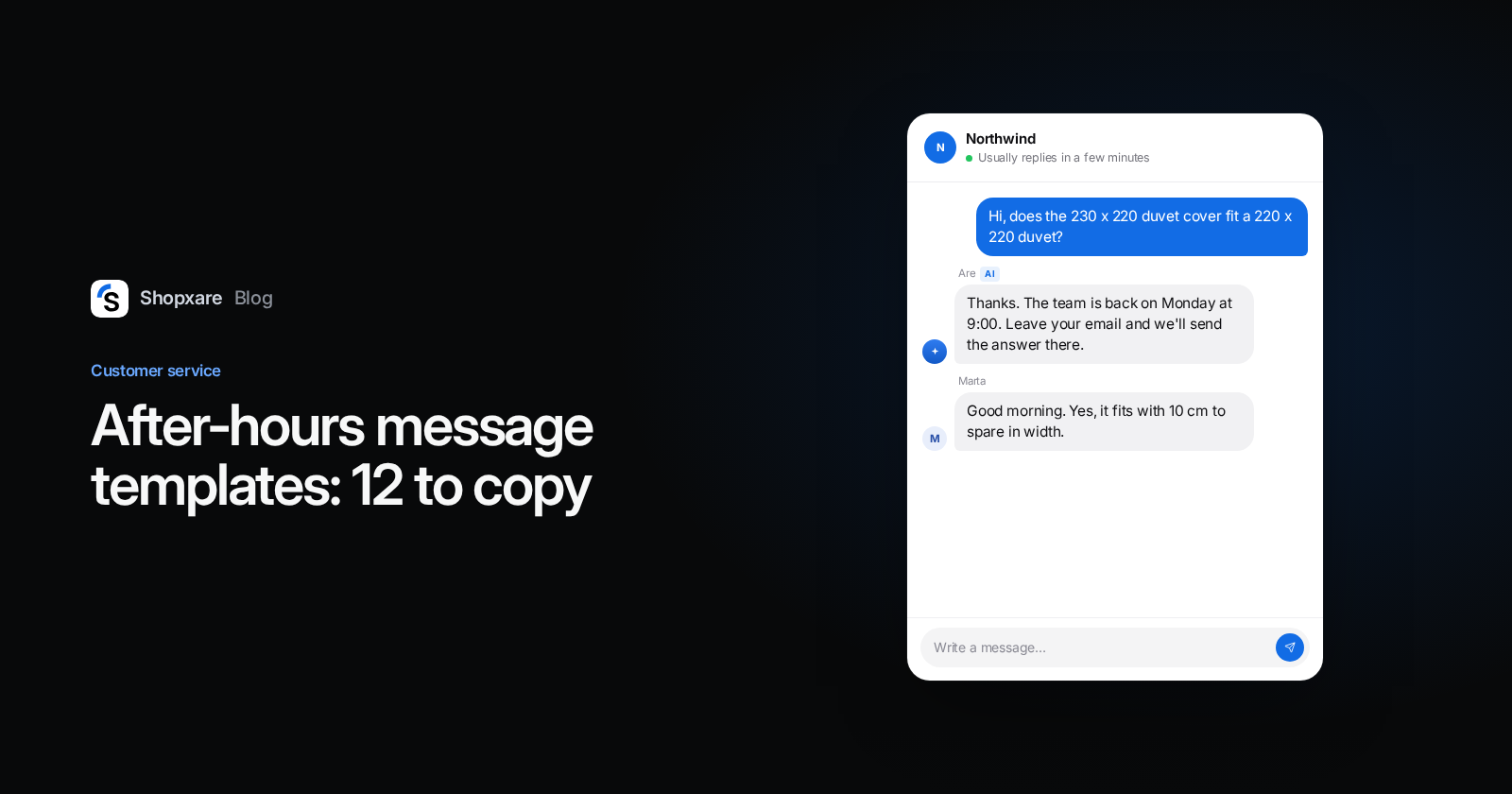
A good after-hours message does four things in two or three sentences: it confirms the message arrived, says exactly when a person will reply (a day and a time, not "as soon as possible"), points to what the customer can do right now, and asks for the one detail you need to solve it in a single reply, usually the order number. Below are 12 after-hours templates for live chat and email that follow this pattern, from a normal weeknight to a Christmas closure, and the settings that send them automatically.
What a good after-hours message contains
Most "after hours message examples" online are written for SMS or voicemail. An online store's chat and email need something slightly different, because the customer usually wants one of three things: an order status, a returns answer, or help deciding before they buy. Build every message from four parts:
- Receipt. "Thanks, your message is with us." One line. It tells them they don't need to write again or open a second chat.
- A real reply time. "We'll reply on Monday from 9:00." A day and an hour beat "within 24 hours", which isn't true on a Saturday night. Add the time zone if you sell abroad.
- Something they can do now. The tracking page, the returns form, the size guide. If the answer is already on your site, link to it.
- What to send. "Add your order number and we can answer in one go." This turns three messages on Monday into one.
Skip the apology for being closed. Being closed at 23:00 is normal. What customers want is a clear time.
Which message for which moment
| Moment | What changes | Key line |
|---|---|---|
| Weeknight | Reply tomorrow morning | "We'll reply tomorrow from 9:00." |
| Friday evening, weekend | Reply on Monday | "We're back on Monday at 9:00." |
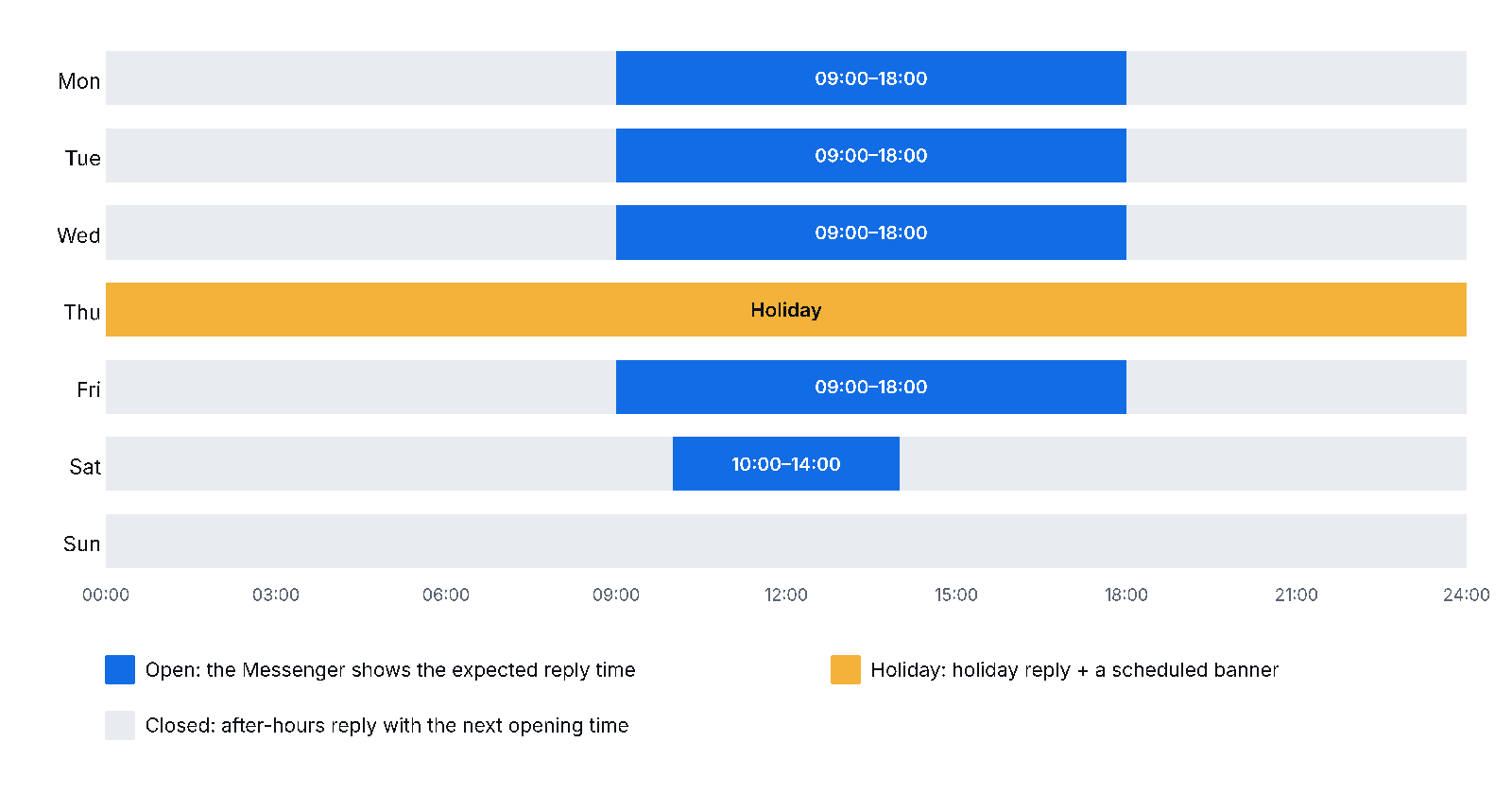
| Public holiday | One extra day closed | "Closed on Thursday for the holiday, back Friday at 9:00." |
| Christmas and year end | Several days, shipping paused too | Dates for replies and for dispatch |
| Peak season (Black Friday) | You're open, but slower | An honest, longer reply time |
| AI answers first | A bot covers simple questions | When a person takes over |
12 after-hours message templates to copy
Replace the parts in brackets. Keep chat versions to about three lines; the email version can carry more.
1. Weeknight, chat
Thanks for your message. The team is offline right now and will reply here tomorrow from 9:00. If it's about an order, add your order number and we can answer in one go.
2. Weeknight, email auto-reply
Subject: We've got your message
Hi,
thanks for writing to [Store]. We answer emails Monday to Friday, 9:00–18:00 [time zone], and you'll hear from us by [tomorrow at 12:00].
Shipping times, returns and payment options are here: [link to help page]. To track a parcel, use the link in your shipping confirmation.
If you haven't yet, reply with your order number so we can help faster.
[Store] customer service
3. Friday evening and weekend
Thanks for writing. We're off for the weekend and back on Monday at 9:00, when we answer messages in the order they arrived. Your message is saved, so there's no need to send it again.
4. Saturday short hours
We're open on Saturdays until 14:00, so the team has left for today. We'll reply on Monday morning from 9:00. Leave your email address if you'd like the answer there.
5. Public holiday
Our team is off today for [holiday]. We're back tomorrow, [Friday], at 9:00. Orders placed today are packed and shipped on [Friday].
6. Christmas and New Year closure
Our customer service is closed from [24 to 27 December] and on [1 January]. Orders placed after [23 December, 12:00] ship from [28 December]. We'll answer every message from [28 December at 9:00], oldest first.
In 2026, 24 December is a Thursday and 28 December a Monday, so a four-day closure costs you only two working days.
7. Peak season (Black Friday week)
Thanks for your patience. Black Friday week is our busiest, so replies take up to [one working day] instead of the usual few hours. Order status and tracking are always up to date here: [link].
Black Friday 2026 falls on 27 November. Switch this one on a few days before and off the Monday after.
8. Order status question after hours
Thanks. The latest status of your parcel is behind the tracking link in your shipping email. If it hasn't moved for [3 working days], send us your order number and we'll check with the carrier tomorrow from 9:00.
For the replies your team sends the next morning, our eight "where is my order" templates cover late, stuck and lost parcels.
9. Returns question after hours
You can return items within [30] days of delivery and start the return yourself here: [returns link]. If something arrived damaged, send a photo and your order number and we'll sort it out tomorrow morning.
10. Pre-sale question after hours
Good question. The people who know our products best are back tomorrow at 9:00. Leave your email and we'll send the answer there, so you don't have to keep this page open. The [size guide] might already have it.
11. When an AI assistant answers first
I'm [Store]'s AI assistant. I can answer questions about shipping, returns and sizes right away. For anything else, the team takes over tomorrow from 9:00 and will see this whole conversation.
12. Monday morning, after a long wait
Thanks for waiting over the weekend. [Answer.] If anything else comes up, reply here and it goes straight to me.
Five mistakes that make customers write twice
- "We'll get back to you as soon as possible." It says nothing. Name a day and a time.
- "Within 24 hours" on a Friday evening. A message sent at 21:00 on Friday waits 60 hours for Monday at 9:00. Either count working days ("within one working day") or name the day.
- No time zone when you sell abroad. "9:00" means nothing to a customer three hours ahead of you.
- A holiday message that stays on. The customer reads "closed for Christmas" on 6 January. Schedule it with an end date.
- "Please stay in the chat." Nobody is coming tonight. Let them leave and get the answer by email.
Example: a Friday night question at a homeware shop
A two-person homeware shop sells bed linen online and answers chat Monday to Friday, 9:00 to 17:30. At 21:40 on a Friday, a visitor asks whether a 230 × 220 cm duvet cover fits her duvet, which is 220 × 220.
The Messenger's home screen already shows the expected reply time, so she isn't surprised. When she sends the question, template 10 goes out as an automatic reply, and because the shop turned on "email when nobody is online", she leaves her address instead of waiting. On Monday at 9:10, a teammate opens the conversation, replies with the answer (yes, with 10 cm to spare in width) and a link to the matching pillowcases. One reply, no "sorry for the delay" back and forth.
Set it up so it runs by itself
Templates only help if they go out without someone remembering to switch them on. In Shopxare:
- Set office hours and holidays. You do this once in teams and assignment. Office hours feed the reply-time expectations and can be used as a condition in workflows.
- Show the expected reply time on the Messenger home screen and turn on email when nobody is online in Customize the Messenger. If you'd rather not show chat at night at all, you can hide the launcher while nobody is online.
- Send the after-hours reply automatically with a workflow: trigger "A new conversation reaches the team", condition office hours, action "reply as the bot". Saved-reply variables work there, so
Hi {{contact.name | there}}greets customers by name when you know it and with "Hi there" when you don't. - Save the Monday replies as shared saved replies, so the team types "/" and picks one instead of writing from scratch.
- Let Are AI take the simple questions at night. In Are AI's settings you choose what it does outside office hours (Are AI docs). Many customers are fine with that for routine tasks: in Zendesk's survey of about 5,100 consumers in 22 countries, 67% said they were ready to let AI handle tasks such as order tracking (Zendesk CX Trends 2025). Template 11 is the greeting for this setup.
- Announce closures before people order with a scheduled website banner (Banners and messages). A banner on 22 December saves you the "will it arrive by Christmas?" chats.
- Check Monday's backlog. Under Reports → Conversations you see missed reply targets and the busiest hours (Reports). If the same evening hours keep filling up, it may be worth staying online an hour longer.
Many people look for away messages for WhatsApp Business. A WhatsApp channel in Shopxare is on the way; until then, the templates above work in any tool's away-message field.
When an away message is the wrong answer
- Someone is actually online. The Messenger shows your team as online while a teammate has Shopxare open. If that laptop stays open overnight, visitors expect a quick reply and get none. Close the app when you finish, or the after-hours message and the "online" status contradict each other.
- Most evening questions are the same three. If "do you ship to Ireland?" comes in every night, a help center article or Are AI answers it at 23:00. An away message only makes the customer wait for an answer you already have written down.
- You'll be gone for days. A one-person shop on holiday should say so in a banner before checkout, not in an auto-reply after the order.
Try it on your store
Shopxare is free, with no credit card. Install the Messenger, set your office hours, and paste the templates above as saved replies. If you're still comparing tools, our comparison of free live chat plans puts them side by side.
FAQ
What should an after-hours message say?
That you received the message, when a person will reply (a specific day and time), what the customer can do right now (a link), and which detail to send, such as the order number. Two or three sentences are enough.
How do I set up an automatic reply outside business hours?
Set your office hours in your chat tool, then create a rule that replies when a new conversation arrives outside those hours. In Shopxare that's a workflow with the trigger "A new conversation reaches the team", the office hours condition and the action "reply as the bot".
Should I promise "within 24 hours"?
Only if you answer seven days a week. Otherwise a Friday evening message breaks the promise. Say "within one working day" or name the day: "on Monday from 9:00".
What do I write when the shop is closed for the holidays?
The closed dates, the date you'll reply, and the last order date before dispatch pauses. Template 6 above covers all three. Put the same dates in a website banner a few days before.
Is an after-hours message better than an AI chatbot?
They do different jobs. An AI assistant can answer questions that are written down in your policies at any hour; the after-hours message tells people when a human will handle the rest. Most stores need both: AI for shipping and returns questions, an honest reply time for everything else. Our guide to setting up an AI chatbot from your own content covers the first part.