 Shopxare Team
Short answer: for customer support you don't train the AI model itself. You give an AI agent a set of sources (help articles, policy pages, short answers, files) and it answers from them. What decides the quality is that content: one current answer per question, no contradictions between pages, and no gaps on the questions customers actually ask. Build a test of 30 real customer questions, go live only when there are zero wrong answers on money and policy, then spend 20 minutes a week turning unanswered questions into new answers.
Most guides on this topic walk you through one tool's upload button. The upload is the easy part. Below is the work around it: what to feed the AI, what to remove first, a test sheet you can copy, and what to check every week.
"Training" usually means giving it sources, not changing the model
There are two very different things people call training:
| Retrieval (what support tools do) | Fine-tuning | |
|---|---|---|
| What happens | The AI looks up your content at answer time and replies from it | The model's weights are adjusted on example data |
| Good for | Facts: prices, delivery times, return rules, product details | Behaviour: tone, format, a fixed way of reasoning |
| When your policy changes | Edit the page, the next answer uses it | Prepare data and run training again |
| Who it suits | Almost every online store and support team | Teams with engineers and a narrow, stable task |
OpenAI's own guide to optimizing LLM accuracy makes the same split: you add context when the model lacks knowledge, including proprietary or outdated information, and you fine-tune when the problem is inconsistent behaviour. Your return policy is knowledge. So for a store, the job is preparing content, not training a model.
Why the content matters more than the tool
In Moffatt v. Air Canada, 2024 BCCRT 149 (February 2024), the airline's website chatbot told a customer he could apply for a bereavement fare within 90 days after travel. The airline's own bereavement page said the opposite. The tribunal held Air Canada responsible, noting that the chatbot "is still just a part of Air Canada's website", and ordered it to pay the difference plus interest and fees (CA$812.02 in total).
The lesson for a store is not "AI is dangerous". It is that the chatbot repeated a contradiction that already existed in the company's content. Two pages, two answers. If your old FAQ says "30-day returns" and your current policy says 14, an AI agent can quote either. Clean that up before you switch anything on.
Step 1: Start from what customers ask, not from what you have
Export your last 200 to 300 chats and support emails and write down the question behind each one. You will usually find that 15 to 25 questions cover most of the volume. For a typical online store they look like this:
- Where is my order / when will it arrive
- Shipping cost and delivery times per country
- How do I return or exchange something
- Sizing and fit, compatibility, materials
- Payment methods, failed payments, invoices
- Discount codes that don't work
- Stock and restock dates
This list is your scope. Every question on it needs one clear, current answer somewhere the AI can read.
Step 2: Audit your sources
Go through every page and file you plan to give the AI. Copy this sheet and fill one row per source:
Source                     | Answers which questions        | Last checked | Action
---------------------------|--------------------------------|--------------|------------------------
Returns policy page        | returns, exchanges, refunds    | 2026-11      | keep
Old FAQ (2024)             | returns (says 30 days), sizes  | 2024-03      | delete, move sizes
Shipping page              | costs, times                   | 2026-06      | update EU prices
Black Friday banner text   | "free shipping on everything"  | 2025-11      | exclude
Internal macro doc         | refunds above €100             | 2026-09      | exclude (internal)
Rules that save the most trouble:
- One fact, one place. If the return window appears on three pages, keep it on one and link to it from the others.
- Remove expired promotions. Old campaign pages are the most common source of wrong prices.
- Write numbers, not "currently". "Orders placed by 14:00 on a working day ship the same day" beats "we ship quickly".
- Keep internal notes out. Refund limits for staff, supplier names and personal data don't belong in the AI's sources.
- Prefer policy and help pages over product pages. A crawl of 2,000 product pages adds noise to questions about returns.
Step 3: Fill the gaps with short answers
Some facts customers ask about are nowhere on your site: the courier you use for Ireland, whether you gift-wrap, how to get a VAT invoice, the cut-off time for same-day dispatch. Write them as short, standalone answers:
Question: Do you offer gift wrapping? Answer: Yes, for €3 per order. Choose "Gift wrap" at checkout. We don't include prices in gift-wrapped parcels.
One question, one answer, no "it depends" without saying what it depends on.
Step 4: Decide what the AI should not answer
Some questions should go to a person even if the answer is technically in your content: refunds outside the policy, chargebacks, damaged goods with photos, wholesale quotes, complaints. Put them on a hand-over list. We covered the triggers and the exact messages in Chatbot to human handoff.
Live data is a separate case. Order status, stock levels and delivery tracking change by the minute, so don't paste them into documents. Let the AI look them up from your systems instead, or hand over.
Step 5: Test with 30 real questions before you go live
Take 30 questions from your real chats, written the way customers wrote them, typos included. Add a few tricky ones. Copy this sheet:
| # | Customer question (as written) | Expected answer or action | Result |
|---|---|---|---|
| 1 | "how long is delivery to austria" | 3–5 working days, €6.90 (shipping page) | correct / wrong / handed over |
| 2 | "can i return worn shoes" | Only unworn, 14 days (returns page) | |
| 3 | "is the black friday code still valid" | Expired, no current code | |
| 4 | "do you ship to the canary islands" | Not in sources, should hand over | |
| 5 | "I want a refund, it's been 2 months" | Outside policy, hand over | |
| … |
Score each answer as correct, wrong, handed over correctly or handed over unnecessarily. My bar for launch:
- Zero wrong answers on anything involving money, deadlines or the law (returns, refunds, prices, warranty).
- At least 25 of 30 correct or correctly handed over.
- Every wrong answer traced to its source and fixed in the content, not patched with a rule.
Then run the same 30 questions again. Keep the sheet: it becomes your regression test every time you change a policy.
Example: one wrong answer, traced and fixed
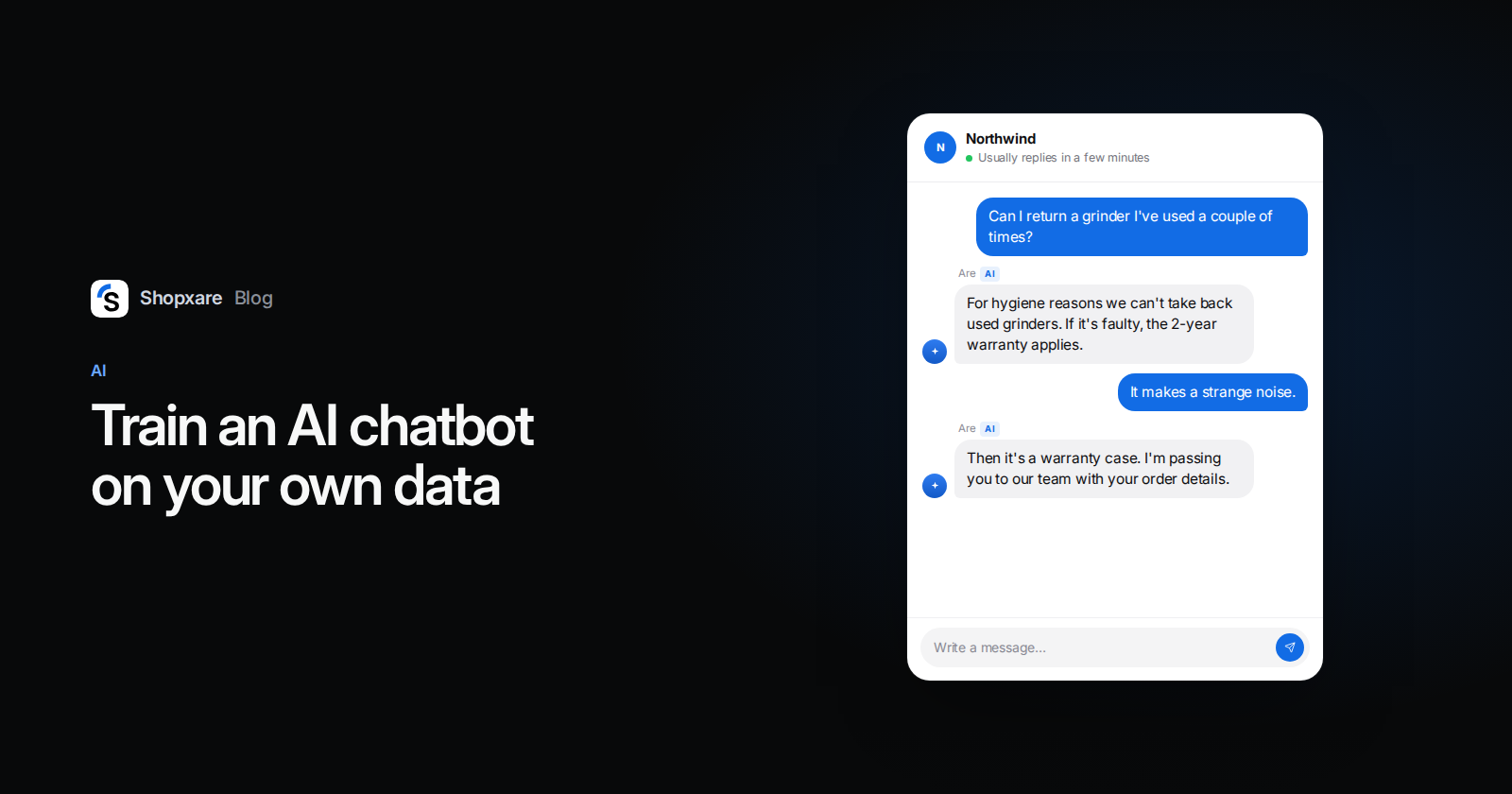
A store selling coffee equipment runs the test. Question 2 is "can I send back a grinder I've used a couple of times?" The AI says yes, within 30 days. The current returns page says 14 days and unused items only. The 30 days came from a 2024 FAQ page that was still published. The fix took five minutes: delete the old FAQ, add a short answer about used items ("We can't take back grinders that have been used, for hygiene reasons. If it's faulty, the 2-year warranty applies: write to us with your order number."), re-read the site, rerun the test. Correct.
Step 6: Keep it right after launch
Every week, 20 minutes:
- Read the questions the AI could not answer and write an answer for the ones that will come again.
- Read five conversations it handed over and check whether the reason was a missing source.
- When a policy, price or courier changes, update the source the same day and rerun the questions that touch it.
Over a few weeks the unanswered list gets shorter. When it stops shrinking, the remaining questions are usually ones a person should handle anyway.
How this works in Shopxare
If you use Shopxare, Are AI answers in the Messenger from the sources you add and hands over when it isn't sure or the answer isn't in its knowledge. The steps above map to these screens (see Teach Are AI):
- Are AI → Knowledge: add your help center articles, a website (with "Only this page", "Sitemap (sitemap.xml)" or "Follow links on the site"), files (PDF, DOCX, TXT, MD, CSV) and Short answers for facts that aren't on your site. Websites are re-read weekly, or right away with "Read again".
- Are AI → Try it: ask your 30 test questions and see the answer, its sources, the confidence and whether it would hand over. Nothing is sent to customers.
- Are AI → Overview → "Questions the AI could not answer": your weekly list from Step 6. Answering one there teaches Are AI for next time.
- "Always hand over these topics" in the settings: the list from Step 4.
- For order status, connect your store (Stores and orders) or your own systems (Data connectors) instead of pasting data into files.
When you shouldn't put an AI agent in front yet
If your help content is thin, most chats will end in a hand-over and the customer waits twice. Write the 15 to 25 core answers first; our guide on how to create a knowledge base helps with that. The same goes if you get fewer than about ten chats a day and one person answers them all, or if most of your conversations are advice-heavy (made-to-measure products, B2B quotes). In those cases start with the AI only outside office hours, or not at all.
Shopxare has a free plan that includes Are AI, and new workspaces don't need a credit card. See what's included on the pricing page.
FAQ
Can I train ChatGPT on my own data for customer service?
You can build a custom GPT inside ChatGPT, but your customers would have to use it there. For your website chat you need a tool that connects your content to the chat window and hands over to your team when needed.
How much data do I need to train a chatbot?
There is no minimum. What matters is coverage of your top questions. Twenty clear, current help articles and short answers usually beat a crawl of thousands of product pages.
How long does it take?
Adding sources takes minutes. The real work is the audit and the test, typically a day or two for a small store, then about 20 minutes a week.
Does the chatbot learn from conversations automatically?
It depends on the tool. In Shopxare, answers learned from your team's conversations appear as suggestions you approve, unless you turn on automatic learning.
What happens when my policy changes?
Update the one source that holds it and rerun the test questions that touch it. With retrieval, the next answer uses the new content; nothing needs retraining.