 Shopxare Team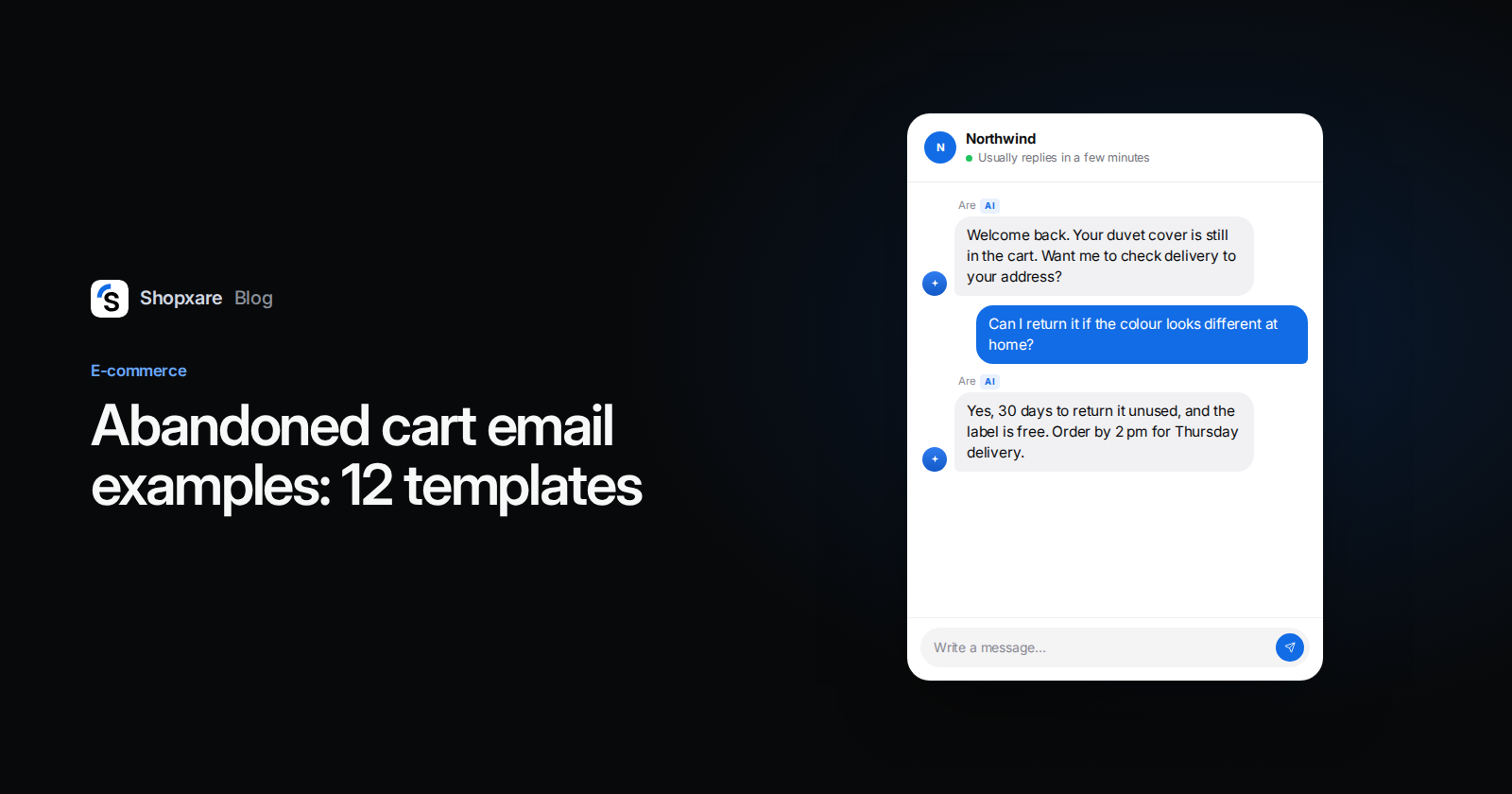
Short answer: send at most three abandoned cart messages: a reminder after about 1 hour (in your website chat and by email), a second one after 24 hours that answers the most likely doubt (shipping cost, delivery date, returns), and an optional last email after 48–72 hours. Keep discounts out of the first two. In the UK and EU a cart reminder email is usually treated as marketing, so send it only to people who agreed to marketing emails or who qualify for the existing-customer exception. Below: 12 templates you can copy, the timing, the consent rules and how to measure it.
About 70% of online carts are abandoned: the Baymard Institute puts the average at 70.22% across 50 studies (Baymard, updated September 2025). Most of those people were never going to buy. Some were, and they left with a question nobody answered. Those are the ones a good reminder brings back.
Why people leave, and which reasons a message can fix
Baymard asks US online shoppers why they abandoned a cart. Leaving out the 42% who were "just browsing", these are the top reasons (Baymard, 2025):
| Reason | Share | Can a message fix it? |
|---|---|---|
| Extra costs too high (shipping, tax, fees) | 40% | Often: state the shipping cost and free-shipping threshold |
| Delivery was too slow | 20% | Often: give a real delivery date |
| Didn't trust the site with card details | 19% | Partly: list payment methods, company details, a real person to ask |
| Site wanted an account | 18% | Only by fixing checkout (guest checkout) |
| Checkout too long or complicated | 17% | Only by fixing checkout |
| Site had errors or crashed | 17% | Only by fixing the site, though an apology and a link help |
| Returns policy wasn't good enough | 13% | Often: say the return window and who pays return shipping |
| Couldn't see the total cost up front | 12% | Yes: show the total in the message |
Our reading: about half the reasons are questions. That is why a cart reminder works better as the start of a conversation than as an ad. "You forgot something" gets ignored. "Delivery to Leeds is Thursday and returns are free for 30 days. Any questions?" answers the thing that stopped them.
The 3-message sequence
| When | Channel | What it says | Discount? |
|---|---|---|---|
| After about 1 hour | Website chat on the next visit, plus email | The cart, a link back, an invitation to ask | No |
| After 24 hours | Email (and chat if they come back) | Answers the likely doubt: delivery date, shipping cost, returns | No |
| After 48–72 hours, optional | Last reminder; a small code only if your margin allows | Maybe |
Klaviyo describes a similar pattern (a reminder after 2–4 hours, a follow-up after 24 hours, a last message after 48 hours) and calls it a common sequence, not a rule (Klaviyo abandoned cart benchmarks, October 2026). We prefer 1 hour for the first message because the reason they left is still fresh, and a chat message waiting on their next visit costs nothing if they don't come back.
Stop the sequence the moment they buy, empty the cart or reply. Three messages is the limit. A fourth email teaches people to unsubscribe.
12 abandoned cart templates
Replace the parts in braces. Keep the cart link and the product name in every message: people forget what they looked at.
First reminder (after about 1 hour)
1. Email, plain reminder Subject: Your cart is saved
Hi {first_name}, you left {product} in your cart. It's saved here: {cart_link}. If something stopped you (shipping, sizes, returns), reply to this email and a person from our team will answer.
2. Email, question-led Subject: Any questions about {product}?
Hi {first_name}, did you have a question about {product}? Most people ask about delivery and sizing. Delivery to {country} takes {days} working days and the size guide is here: {size_link}. Your cart: {cart_link}.
3. Chat message on the next visit
Welcome back. Your {product} is still in the cart. Want me to check delivery to your address before you order?
4. Chat message, short
Your cart is still here: {cart_link}. Ask me anything about shipping or returns.
Second reminder (after 24 hours)
5. Shipping cost answer Subject: Shipping to {city} for your order
Hi {first_name}, shipping for your cart is {shipping_cost}. Orders over {threshold} ship free, so you're {amount_left} away. Your cart: {cart_link}.
6. Delivery date answer Subject: {product} can be with you by {date}
Order by {cutoff_time} today and {product} arrives by {date} with {carrier}. Tracking comes by email as soon as it ships. {cart_link}
7. Returns answer Subject: Not sure about the size?
You have {return_days} days to return {product}, and {who_pays} the return shipping. Here's how returns work: {returns_link}. Your cart is still saved: {cart_link}.
8. Trust answer Subject: Paying for your order
You can pay by {payment_methods}. We're {company_name}, {address}, and you can reach a person at {email} or in the chat on our site. Your cart: {cart_link}.
Last reminder (after 48–72 hours, optional)
9. Last call, no discount Subject: We'll clear your cart on {date}
Hi {first_name}, we keep carts for {days} days, so yours will be cleared on {date}. If you still want {product}, here it is: {cart_link}.
10. Small discount with a clear end Subject: {discount}% off your cart until {date}
Code {code} takes {discount}% off the items in your cart until {date} at midnight. One use per customer. {cart_link}
When the customer replies
11. "Shipping is too expensive"
Fair point. Shipping to {country} is {shipping_cost} because {reason}. Orders over {threshold} ship free; adding {suggestion} gets you there. Or you can collect from {pickup_option} for free.
12. "I'll think about it"
Of course. I've kept your cart for {days} days. If it helps, I can send you the size guide or a photo of {product} in daylight.
Don't write "Only 2 left" or "Price goes up tomorrow" unless it is true. Fake urgency is easy to spot, and one invented "last chance" costs more trust than the cart is worth.
Discount or no discount?
Our opinion: no discount in the first two messages. If every abandoned cart gets 10% off, regular customers learn to leave the cart and wait. Use a code only in the last message, only for carts above a minimum value, and with an end date. If you sell low-margin goods, skip it and answer the shipping question instead: 40% of abandoners in Baymard's data left over extra costs, not over the product price.
Consent: who you may email
This is not legal advice; check with a lawyer for your country.
- UK: under PECR, the "soft opt-in" covers existing customers who bought, or negotiated to buy, a similar product from you, as long as you offered an opt-out when you collected the address and in every message. It does not cover new contacts (ICO, electronic mail marketing). Whether typing an email at checkout counts as "negotiating" is not settled, so a marketing checkbox is the safer route.
- Germany: the data protection authority of North Rhine-Westphalia (LDI NRW) said in its report for 2025 that cart reminder emails are advertising, not service messages, and need explicit consent, with the existing-customer exception of § 7(3) UWG as the only way around it (Haufe, July 2026).
- Everywhere: an unsubscribe link in every reminder, and no pre-ticked boxes.
A reminder inside your website chat is different: it is shown when the person comes back to your site and does not land in their inbox. That makes the chat the better first channel for visitors who never gave marketing consent.
How to set it up
On Shopify
Shopify has built-in abandoned checkout emails: Apps > Messaging > Automations, open Abandoned checkout emails by Shopify, then Edit settings. A checkout counts as abandoned once it stays incomplete for more than 10 minutes after the customer entered an email address (Shopify Help Center). It starts at checkout, so carts left before the customer typed an email address are not covered.
With Shopxare
In Shopxare, cart reminders work in two channels: a message with the cart in the Messenger on the customer's next visit, and an email when the email address is known.
- Go to Settings > Stores & marketplaces and connect your store. Shopify, WooCommerce, Magento, PrestaShop, Shopware, BigCommerce, Wix and others can be connected (stores and orders); carts come from the shop where the platform supports it.
- Switch on Cart reminders for the store.
- Set Remind after (for example 1 hour). Leave Message empty to send the default text in the customer's language, or paste template 1 or 2.
- Turn on the second reminder, sent 24 hours later if the customer hasn't come back. Add a discount code only if you created one in your shop.
- Emails include an opt-out link. A customer who clicks Don't send cart reminders is never reminded again by your shop.
On a site without a supported store, send the cart with Shopxare('cart', …) from the JavaScript API. When the customer replies with a question, Are AI can answer shipping and returns questions from your own pages and hands over to your team when it isn't sure. Templates 11 and 12 work well as saved replies.
Example: a bedding store
A UK store selling linen bedding sees a cart with a £120 duvet cover sit for an hour. The customer comes back the next evening and the Messenger shows: "Welcome back. Your duvet cover is still in the cart. Want me to check delivery to your address before you order?"
She writes: "Can I return it if the colour looks different at home?"
The reply: "Yes. You have 30 days to return it unused, and the return label is free. Delivery to Bristol is Thursday if you order before 2 pm." She orders. No discount, one honest answer.
How to measure it
Count three numbers for the last 30 days: carts reminded, customers who came back, and carts bought after a reminder. In Shopxare the cart reminders page shows Reminded, Came back and Bought, plus each cart's status (Waiting, Reminded, Bought, Bought after reminder, Emptied).
For a reference point, Klaviyo's 2026 data from more than 110,000 customers shows an average click rate of 6.0% for abandoned cart emails (11.3% for the top 10%) and average revenue per recipient of $6.77 (Klaviyo, October 2026). Compare yourself with your own last month first. If clicks are fine but purchases are low, the problem is on the site (shipping cost, checkout), not in the email.
For more ready-made texts, see our 24 canned responses for online stores and live chat greeting examples.
FAQ
When should I send an abandoned cart email?
Send the first one about 1 hour after the cart is left, the second after 24 hours, and an optional last one after 48–72 hours. Stop as soon as the customer buys or replies.
How many abandoned cart emails should I send?
Two or three. A third email is worth it only if it adds something new, like a clear deadline or a small discount.
Should an abandoned cart email include a discount?
Not the first one. Discounts in every reminder teach customers to abandon carts on purpose. Use a code in the last message only, with an end date and a minimum cart value.
Are abandoned cart emails legal under GDPR?
They are usually treated as marketing. In the UK they need consent or the soft opt-in for existing customers; Germany's LDI NRW requires explicit consent unless the strict existing-customer rule applies. A reminder in your website chat does not go to the inbox.
What is a good abandoned cart email click rate?
Klaviyo's October 2026 benchmarks put the average at 6.0% and the top 10% at 11.3%.
Shopxare is free, with no credit card, and cart reminders are part of the free plan. Connect your store and turn them on in a few minutes.